Describe the offer.
The coupon writes itself.
Say the deal in plain words, like "20% off any thread, good for 30 days," and AI writes the headline, the words and the fine print on a coupon in your brand. Send it by email to one customer or a tagged group. Birthday and anniversary coupons can go out on their own, every year, once a one-time setup is done.
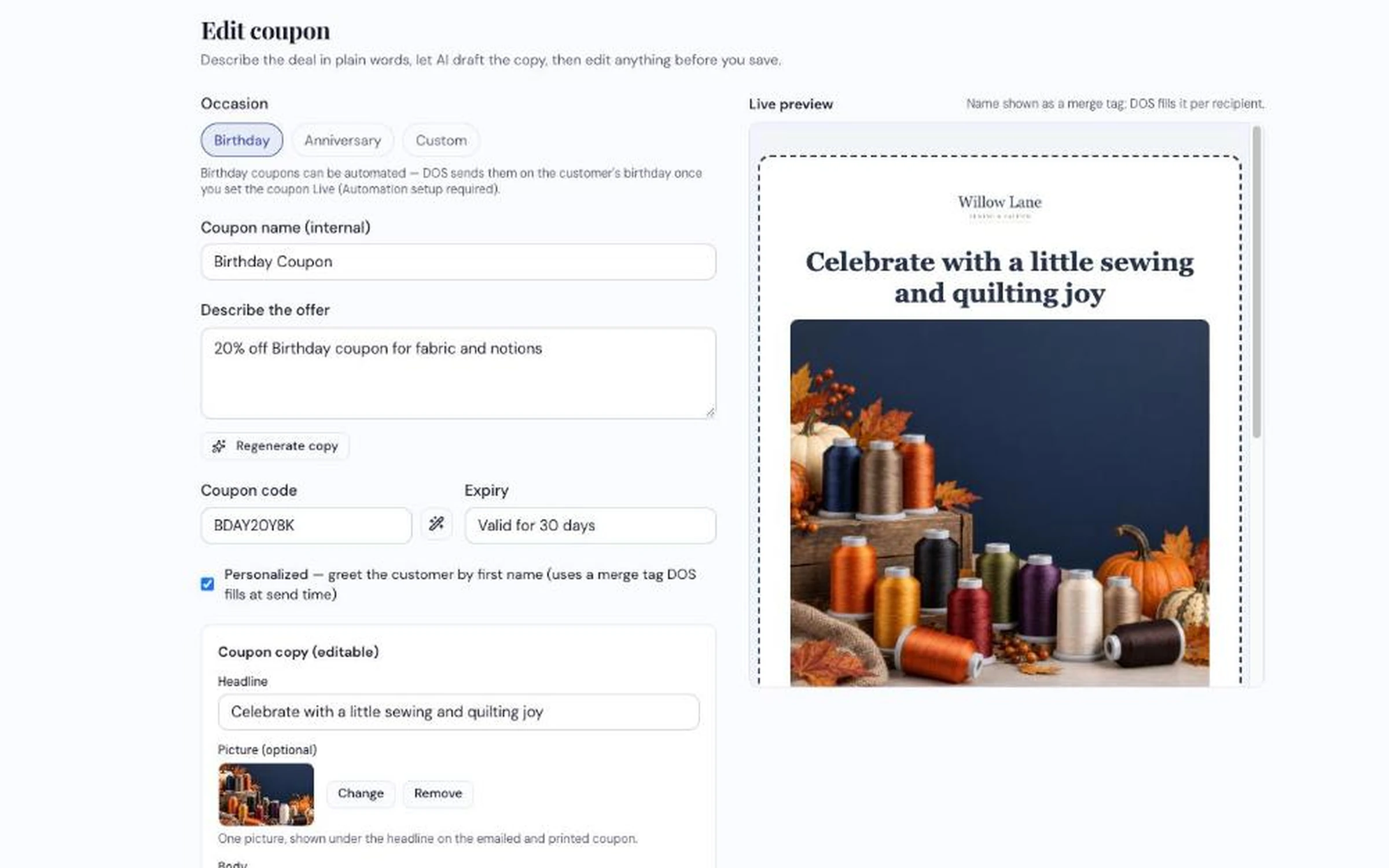
Pick the occasion, describe the offer, and the finished coupon appears in the live preview.
How dealers use it
-
Describe the offer
Pick Birthday, Anniversary or Custom, type the deal, and click Write copy with AI. Change any of the wording, add a picture, and give it a code, or let it suggest one.
-
Send it, or set it to go out on its own
Send a coupon by email to one customer or everyone with a tag, like "VIP." For a birthday or anniversary coupon, finish the one-time automation setup and set it Live. It then goes out on each customer's day, every year.
-
Honor it at your counter
Tell your staff the code. Customers bring the coupon in, and you see every send and who got it in the coupon's history.
What it does
- Writes the coupon for you — headline, words and fine print, from one sentence
- In your brand, with a live preview as you edit
- One picture per coupon, from your uploads or your product pictures
- Greets customers by first name if you choose
- Suggests a code and sets an expiry
- Sends by email to one customer or a tagged group
- Birthday and anniversary coupons that go out every year on their own, once set up
- Shows how many customers it can reach — how many have a birthday or anniversary on file
Tell us an offer and we'll make the coupon live
From one sentence to a branded coupon, on the call.
Request a Demo