A customer sends a photo.
You have the thread.
Match any color to the closest threads in real color science — and point every customer at the lines you carry, rather than the one you'd have to order in.
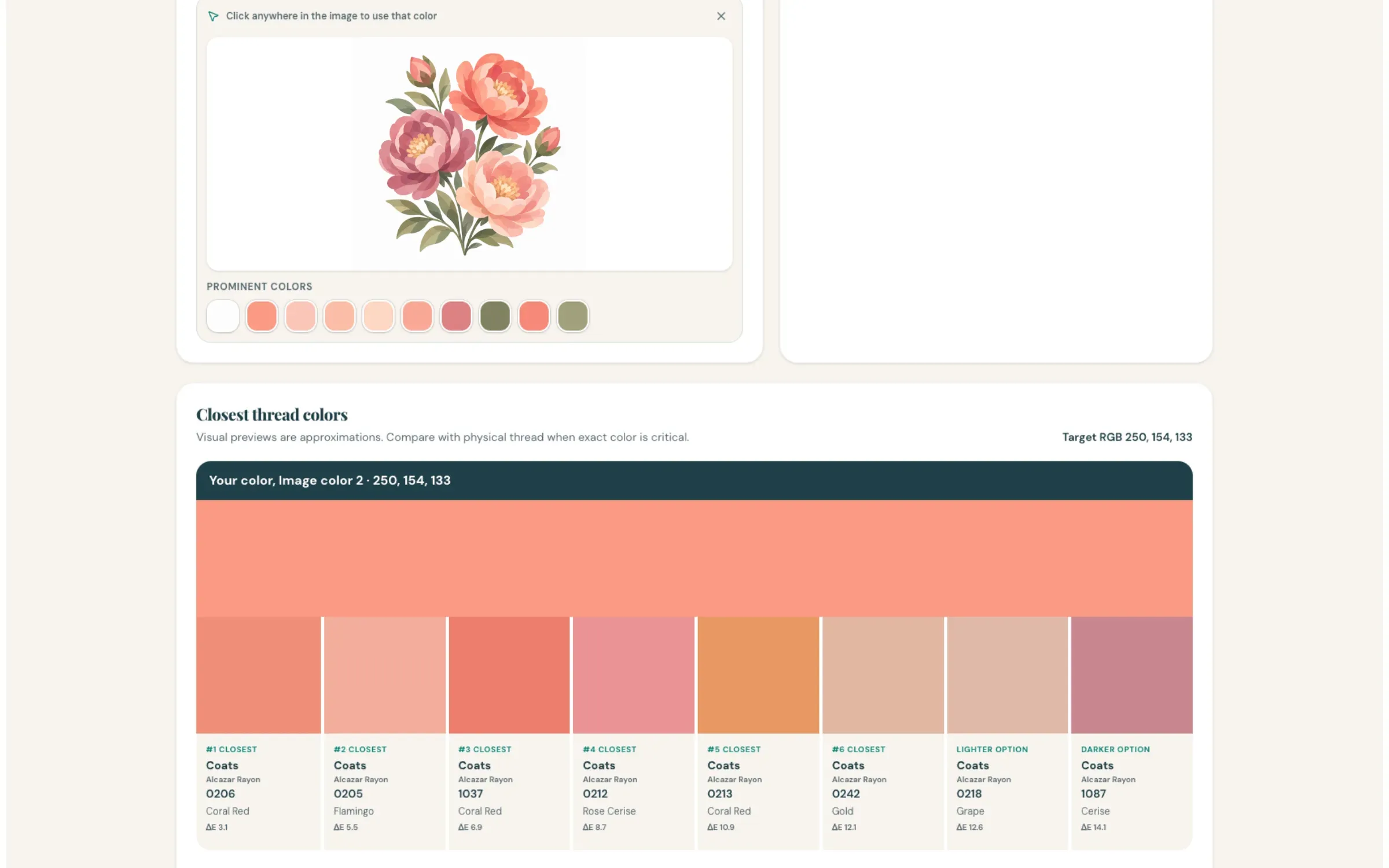
Six closest matches, plus one lighter and one darker — because the perfect match on screen isn't always the right one on fabric.
How dealers use it
-
Choose which thread lines it's allowed to recommend
This is the part that matters commercially. You pick the brands and color lines the public matcher can return, so it only ever sends someone toward thread you actually sell. A matching tool that recommends a competitor's line is worse than no tool at all.
-
Customers match a color however they have it
Upload a photo and click the color straight out of it. Or describe it in words, pick from a palette, enter a hex code, or sample a color off their own screen. Or start from a thread they already have — any brand — and get the closest one you carry. Whatever they've got in front of them, there's a way in.
-
Your team keep an inventory of what's actually on the wall
In the Team Thread Matcher your staff tick off the spools you own in My Threads, save customer projects, and build custom thread charts. Every match then shows the closest colors you own, too. So when someone comes in with a photo on their phone, the answer is "we've got that" instead of "let me look".
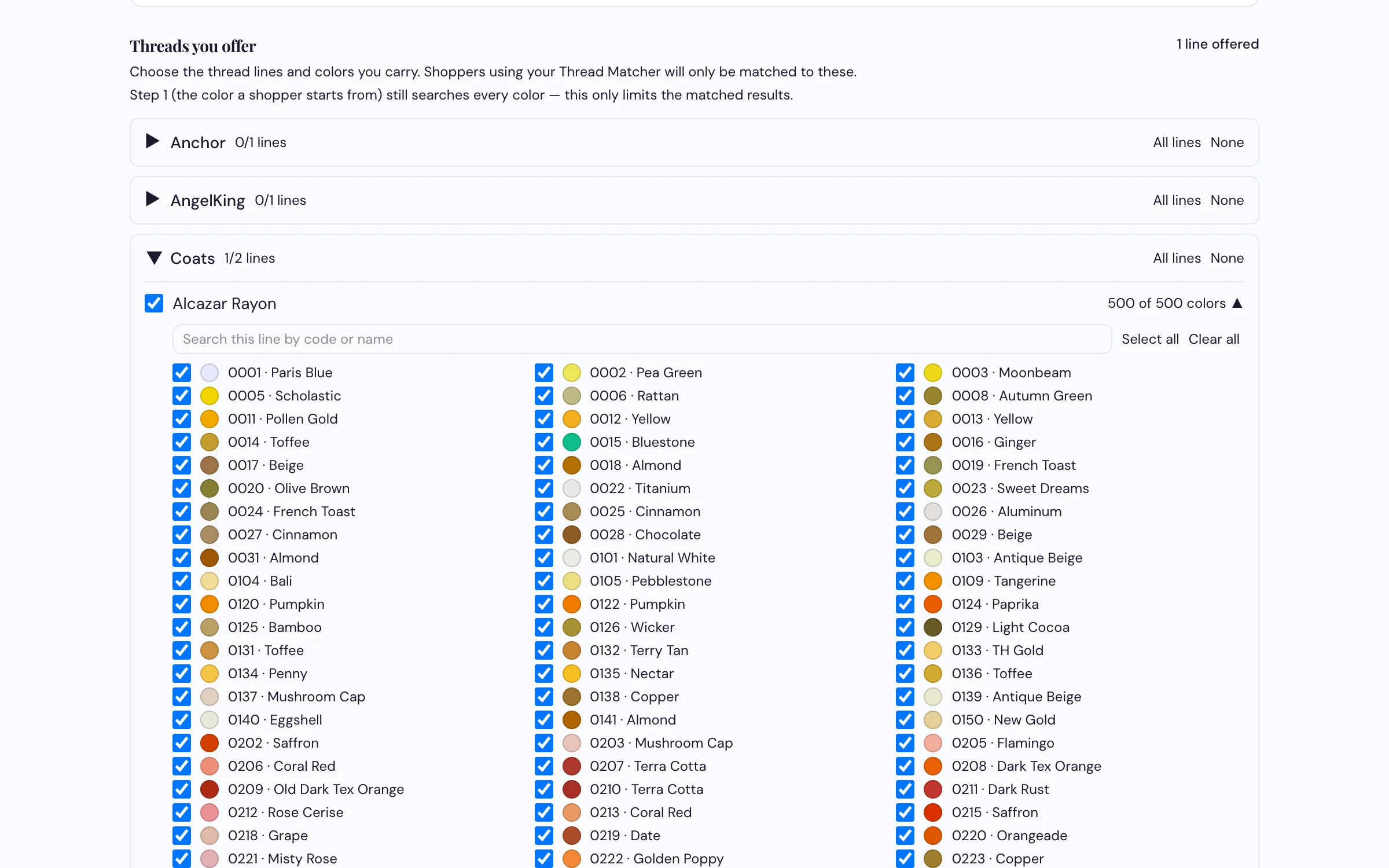
You decide what it can recommend. Once it's set, it points customers only at what you stock.
What it does
- Matches on real color science — the same perceptual standard used in professional color work, not a crude RGB comparison
- Returns the six closest threads plus a lighter and a darker option, each with how close it actually is
- Takes a color from a photo, a description, a palette, a hex value, or a screen sample — or starts from another brand's thread
- Pulls up to ten colors automatically out of an uploaded image
- You choose which thread lines it can return — it points customers at your stock
- Your team get My Threads (what's on your wall), saved projects, and custom charts of up to 2,000 colors
Send us a photo and we'll match it live
Against your own thread lines, on the call.
Request a Demo