Every customer, every reply.
One place.
Bring your list in from your point of sale, your old newsletter tool or a club sheet. From then on, every lead from your assistant and your website lands on the right customer by itself, and every reply to your emails comes back to one inbox.
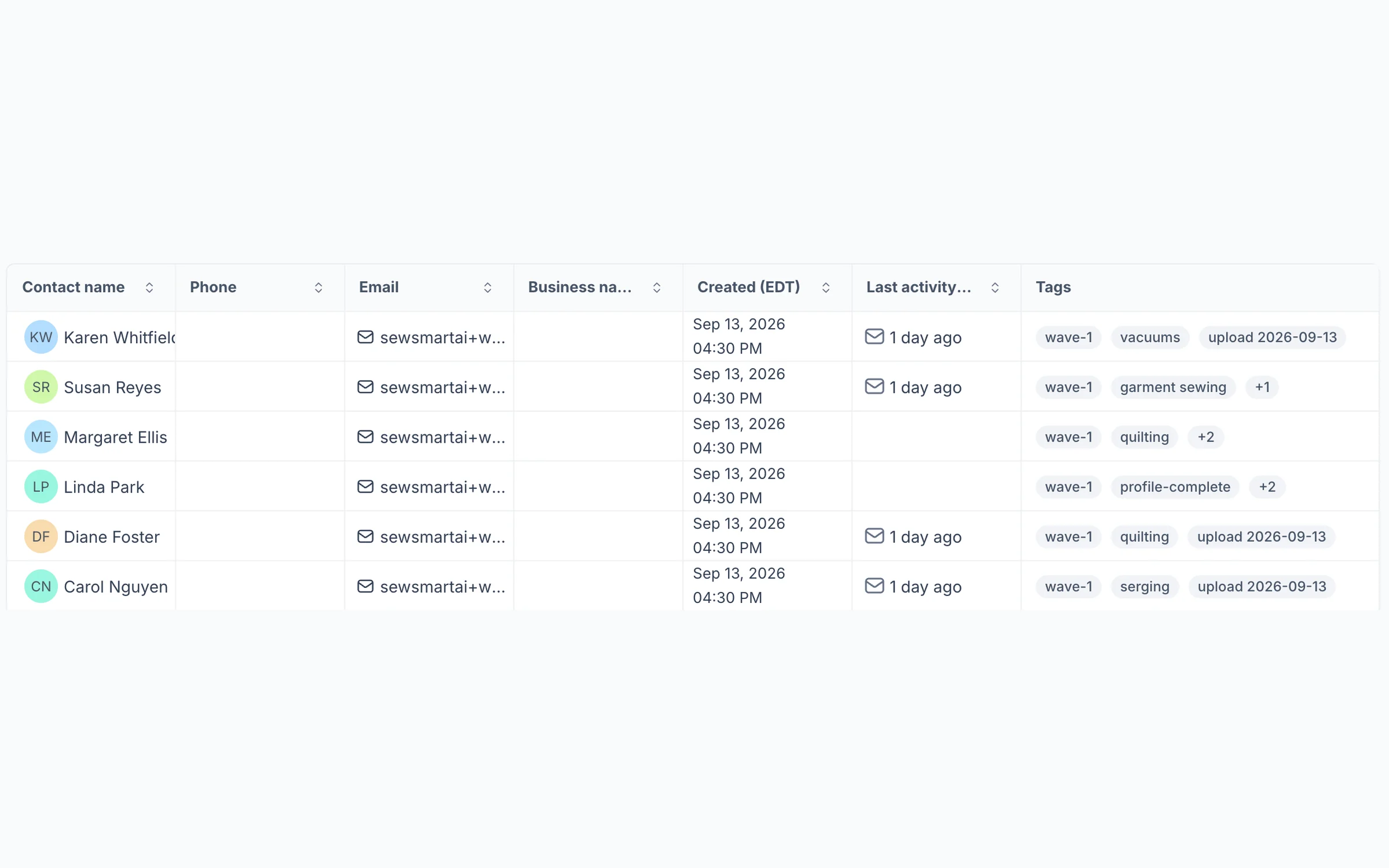
Every customer on one list, each with the tags that decide which emails they get.
How dealers use it
-
Bring your list in, in five screens
Export your customers from Square, Shopify, Mailchimp or a club spreadsheet and upload it as it is. Match the columns, answer a question about any new tag, and see exactly what will happen before anything is saved. Nobody is doubled, and your customers are sorted into small warm-up batches so your first emails land in inboxes.
-
Leads land on their own
When a customer fills in a form on your assistant or your website, say "Ask about this machine," the lead arrives with every answer they gave. Work it from New to Contacted to Qualified to Closed, and leave a note for the team: "Waiting for tax refund, call back in April."
-
Know your customers, and answer them
Open any customer for their details, tags, leads and notes. Filter the list to everyone who said longarm quilting matters most. When someone replies to your newsletter, "Is there still room on Tuesday?", it comes to one shared inbox so one person can answer it the same day.
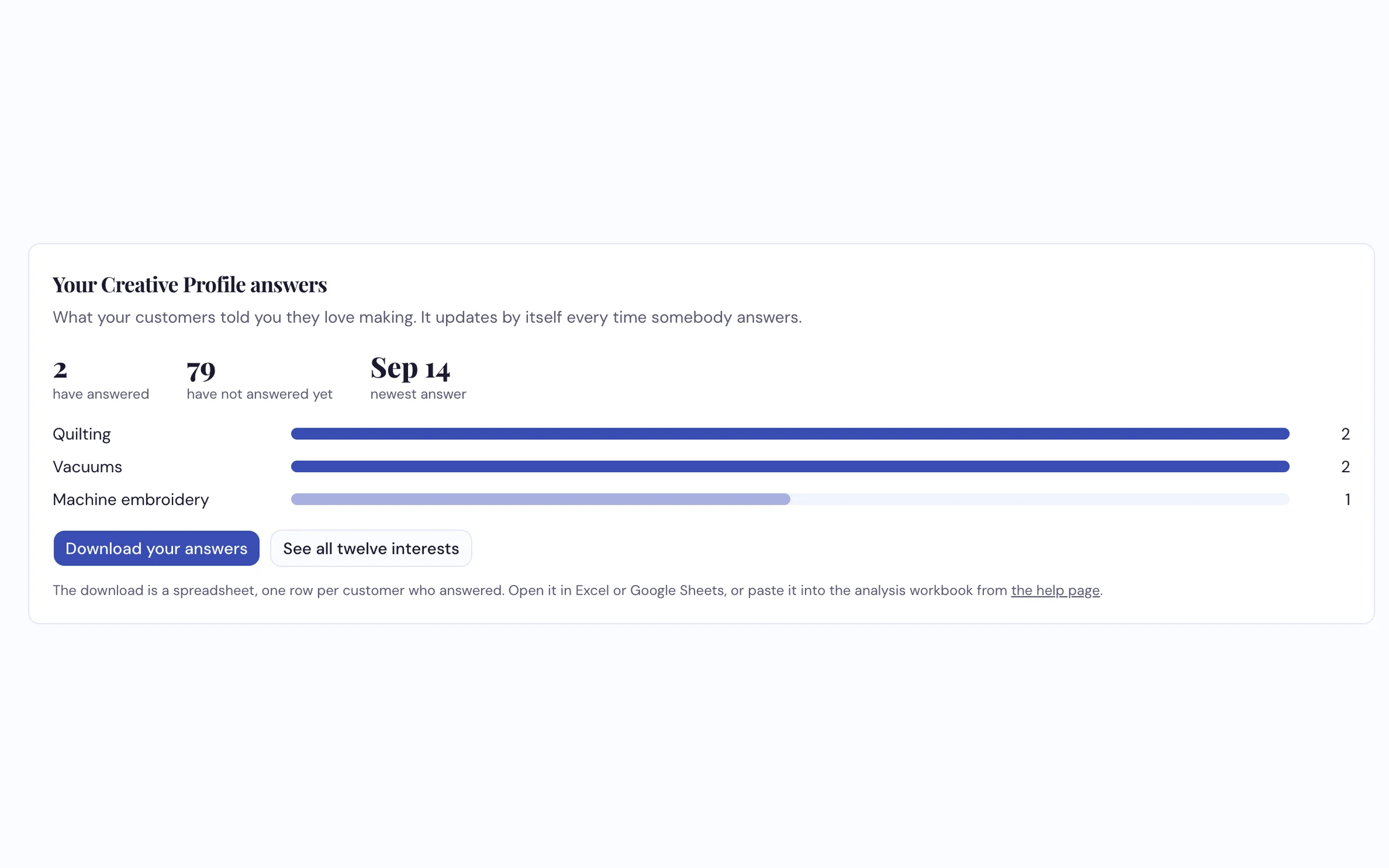
What your customers told you they love making, counted for you, with every answer in a spreadsheet.
What it does
- Imports your list from a spreadsheet, Excel or CSV, without tidying it first
- Checks for duplicates and updates people already in rather than adding them twice
- Tags like quilting, longarm or club-members, so an email reaches the right people
- Leads from your assistant and website forms arrive by themselves, with every answer
- One card per customer, with their details, tags, leads and notes
- Search and filters to find anyone in seconds, or everyone who gave one answer
- One shared inbox for replies to your emails
- Export your leads or your customers' survey answers to a spreadsheet
See a customer list go in, live
From a spreadsheet to tagged customers you can email, on the call.
Request a Demo