Your best salesperson
doesn't go home at six.
Your store assistant answers product and technique questions on your website around the clock — in your brand, from your own catalog — and sends the customer to you ready to buy.
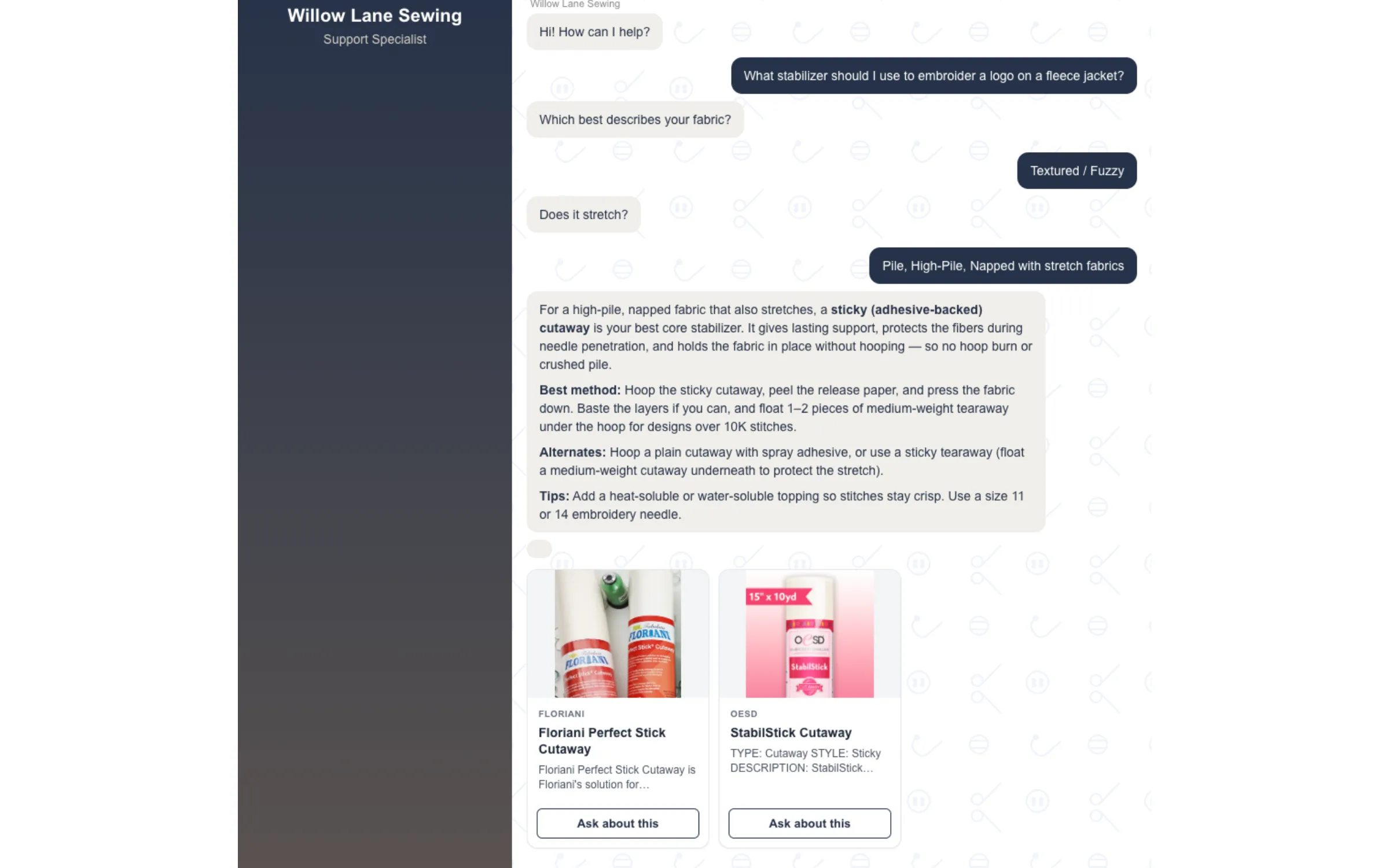
A customer asks at 11pm. They get a real answer, and the product that solves it.
How dealers use it
-
Put it on your website
Copy one line of code into your site and the assistant is live. It picks up your brand colors, your name, and the buttons you want it pushing people toward. No rebuild, no developer.
-
It answers out of your own stock
Ask it about puckering on knits or which stabilizer suits a fleece jacket and it answers properly — then shows product cards drawn from the brands you actually carry. You set how eagerly it recommends: hold back until it's certain, or offer something whenever it's relevant.
-
The customer arrives at your counter already sold
Every card carries your call-to-action, pointed at your product page. The question that used to go unanswered at midnight — or tie up a staff member for ten minutes on a Saturday — turns into someone walking in knowing what they want.
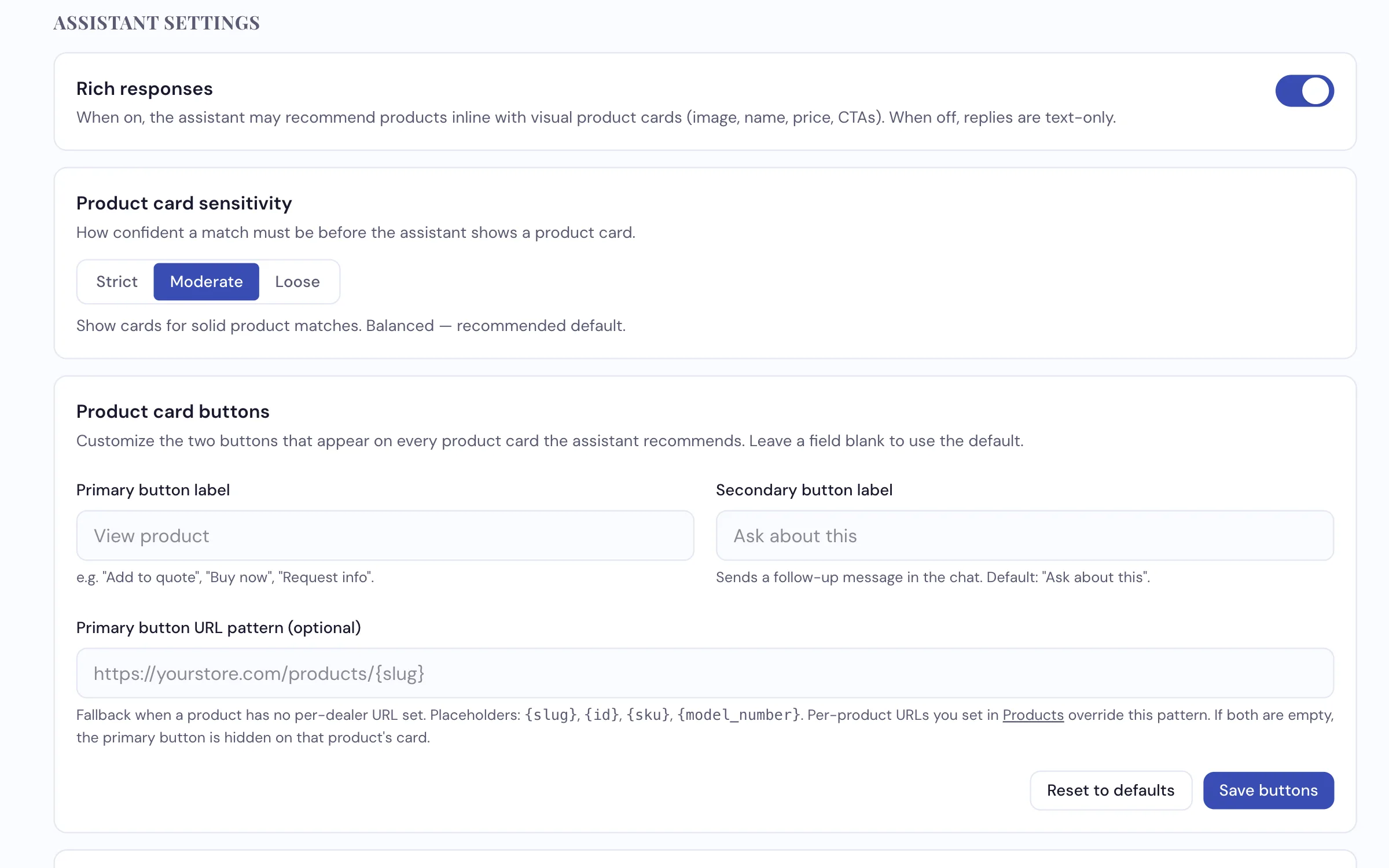
Everything about the assistant is yours to set, and you can test it before a single customer sees it.
What it does
- Answers sewing, quilting and embroidery technique questions in plain language
- Recommends products from the brands you carry, with a picture and a button to your own product page — it never quotes a price
- Lets you decide how often it recommends — Strict, Moderate, or Loose
- Wears your colors and your call-to-action, not ours
- Turns a question into a lead — a short chat form drops the customer's name and number into your Leads
- Can run a separate staff-only assistant alongside the customer one — it reads your staff notes, and only your signed-in team can use it
- Installs with one line of code on any website
See it answering your customers' questions
We'll put your own products behind it and show you what it says.
Request a Demo