Seats booked and paid for,
on your own website.
Set up a class once with its dates, seats and price, and one button makes it bookable. Your class calendar sits on your own website, customers reserve a seat and pay by card, and the money goes straight into your own Stripe account. It doesn't pass through Sew Smart.
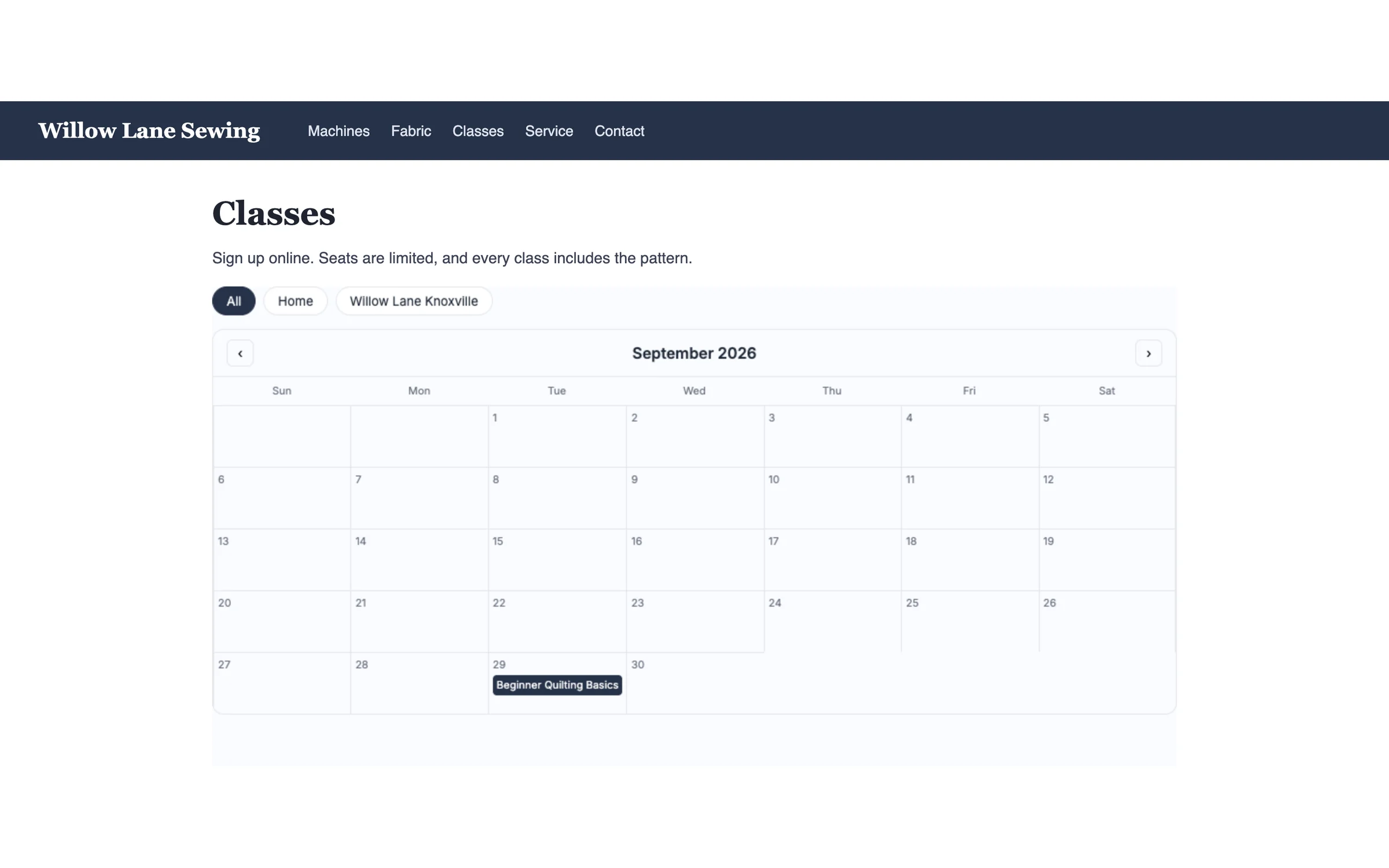
Paste the calendar once. Every class you publish after that shows up on its own.
How dealers use it
-
Connect your Stripe, once
A few clicks link your own Stripe account. After that, every paid class is paid for the same way, and you never type a price twice. Free classes don't need Stripe at all.
-
Set the class up and publish it
Beginner Quilting Basics, Tuesday, September 29, 10 to noon, 2 seats, $20. A class that repeats every week or every month gets all its dates at once. Click Publish to website, and each date gets its own sign-up page with card payment switched on.
-
Customers sign up; the emails go out for you
They click Register, fill in a short form and pay by card. They get a confirmation email with a calendar invite, and a reminder the day before. When the last seat is taken, the class stops taking sign-ups by itself.
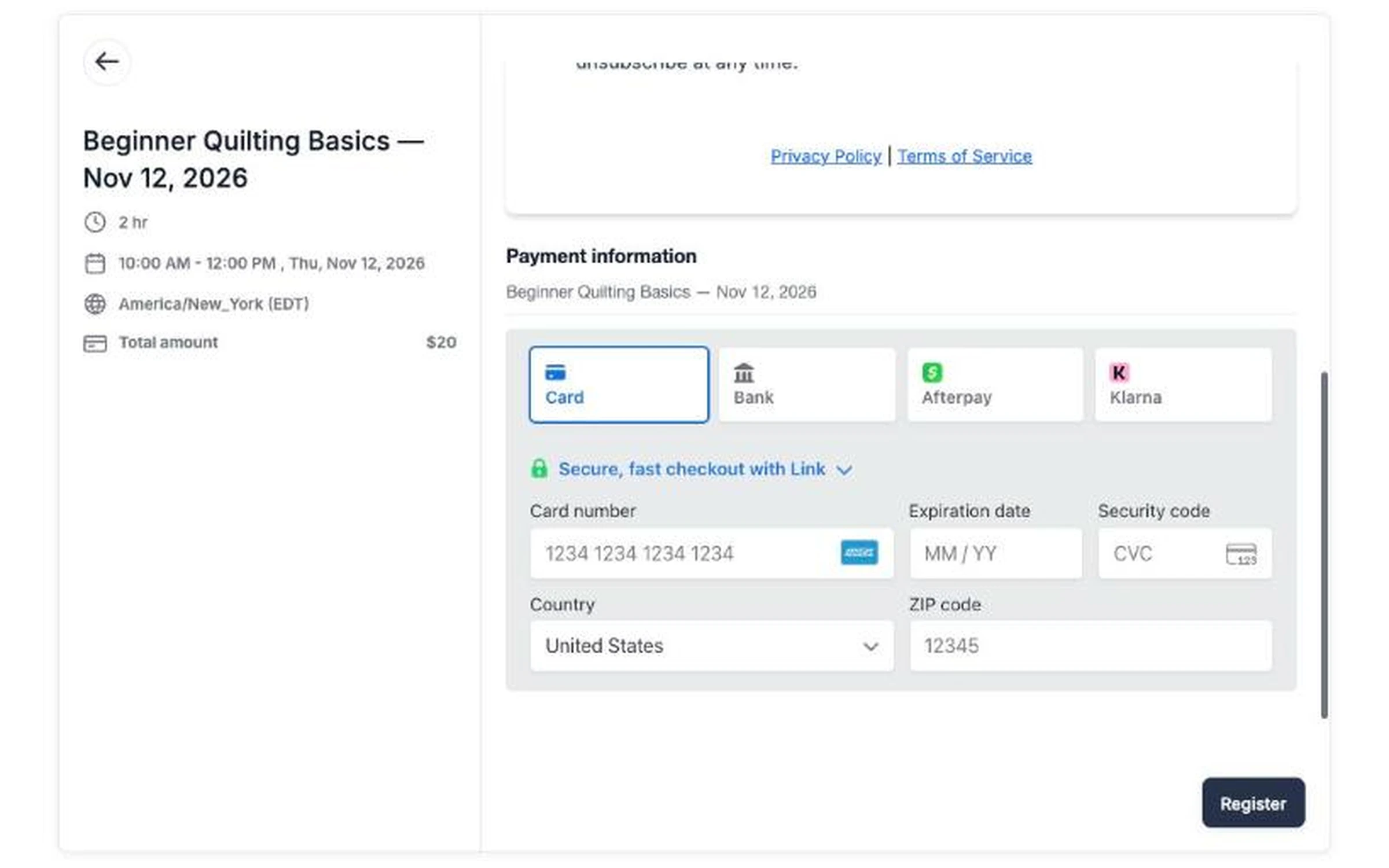
The customer's details, then card payment on the same page. One click on Register and their seat is booked.
What it does
- Payments go to your own Stripe account, and Sew Smart takes no share of your class money
- One button to publish a class, with a sign-up page for every date
- A class calendar on your website, as a list or a month view, in your own brand color
- Repeating classes, weekly or monthly, with an end you choose
- Seat limits that close a class when it's full
- Confirmation and day-before reminder emails, with nothing for you to write
- Move a class and seats move with it, and each customer gets an email with the new time
- More than one store? Your calendar gets a tab for each one
See a class go from calendar to paid seat
We'll publish a class and book a seat in it, on the call.
Request a Demo