Everything you send or post.
Built in one place.
Emails, newsletters, Facebook and Instagram posts, blog posts and flyers — one at a time, several at once, or a whole promotion. You build each piece from blocks, and the preview beside you shows exactly what your customers will see, in your colors, with your own products and classes.
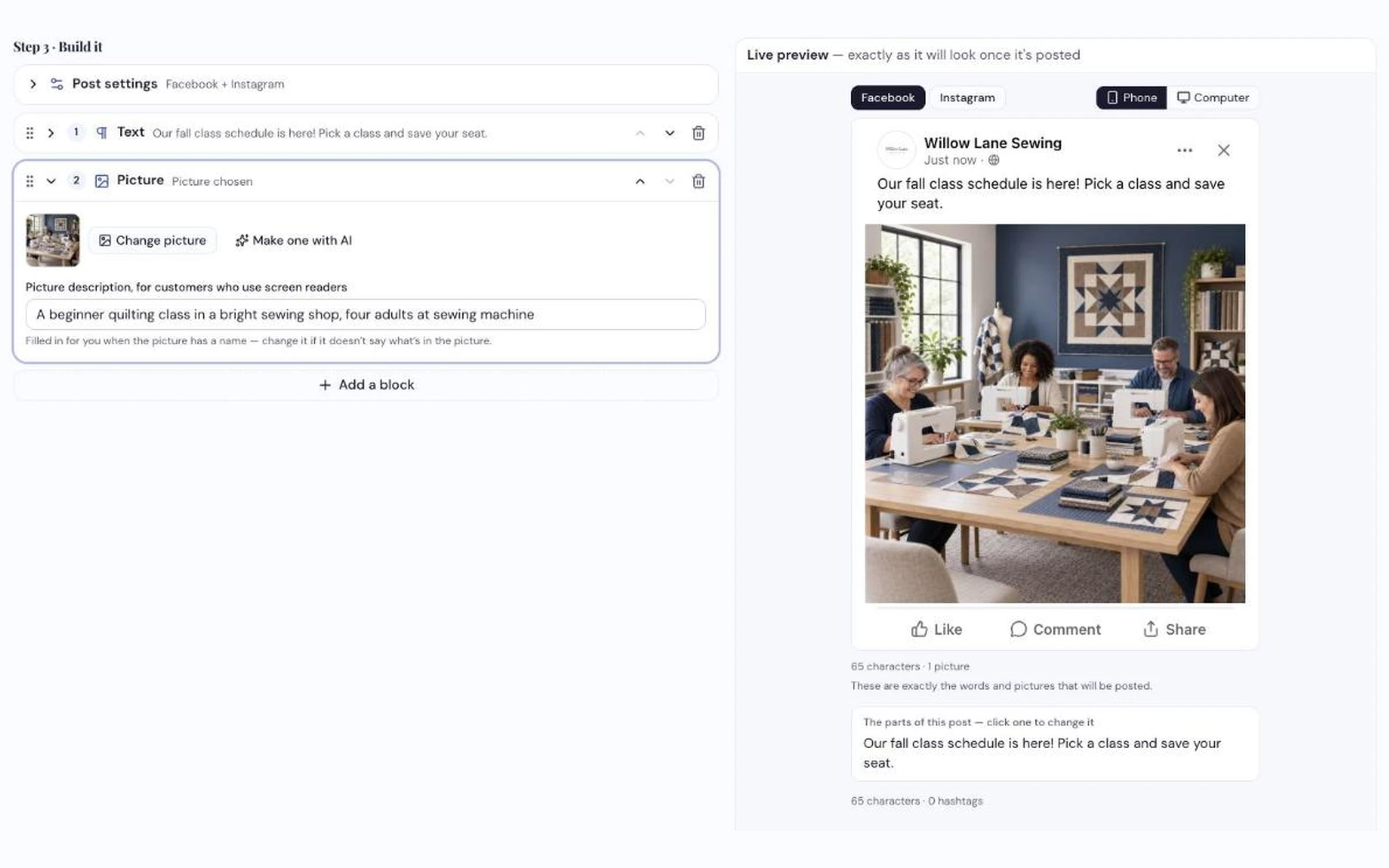
Build it from blocks and watch the preview — it shows exactly how the post will look once it's posted.
How dealers use it
-
Pick what you're making
One piece — an email, a newsletter, a Facebook or Instagram post, a text, a blog post or a flyer. Or several pieces at once, a promotion, a campaign, or a Spotlight on one product. Start from a blank page, a ready-made layout, a Ready to Go piece from Sew Smart, or a sentence telling AI what you want, like "a fall sale on Janome machines, 15% off until Oct 31."
-
Build it from blocks and watch the preview
A title, some text, a product from your catalog, a class from your calendar, an offer, a picture, your store's hours. Your colors and logo come from your Brand Kit. Anything in [square brackets] is still to fill in, and the bar at the bottom counts what's left. A post previews the way it will look on Facebook or Instagram, on a phone first, because that's where most customers see it.
-
Send it, post it, or print it
Once your email and social accounts are connected, emails send or schedule to a group of your customers, posts go to Facebook, Instagram and X now or later, and blog posts publish to your blog. Flyers download as a print-quality PDF or picture. A text gives you the words to copy into the tool you already use to text customers. Nothing reaches a customer until you press Send, Post or Publish.
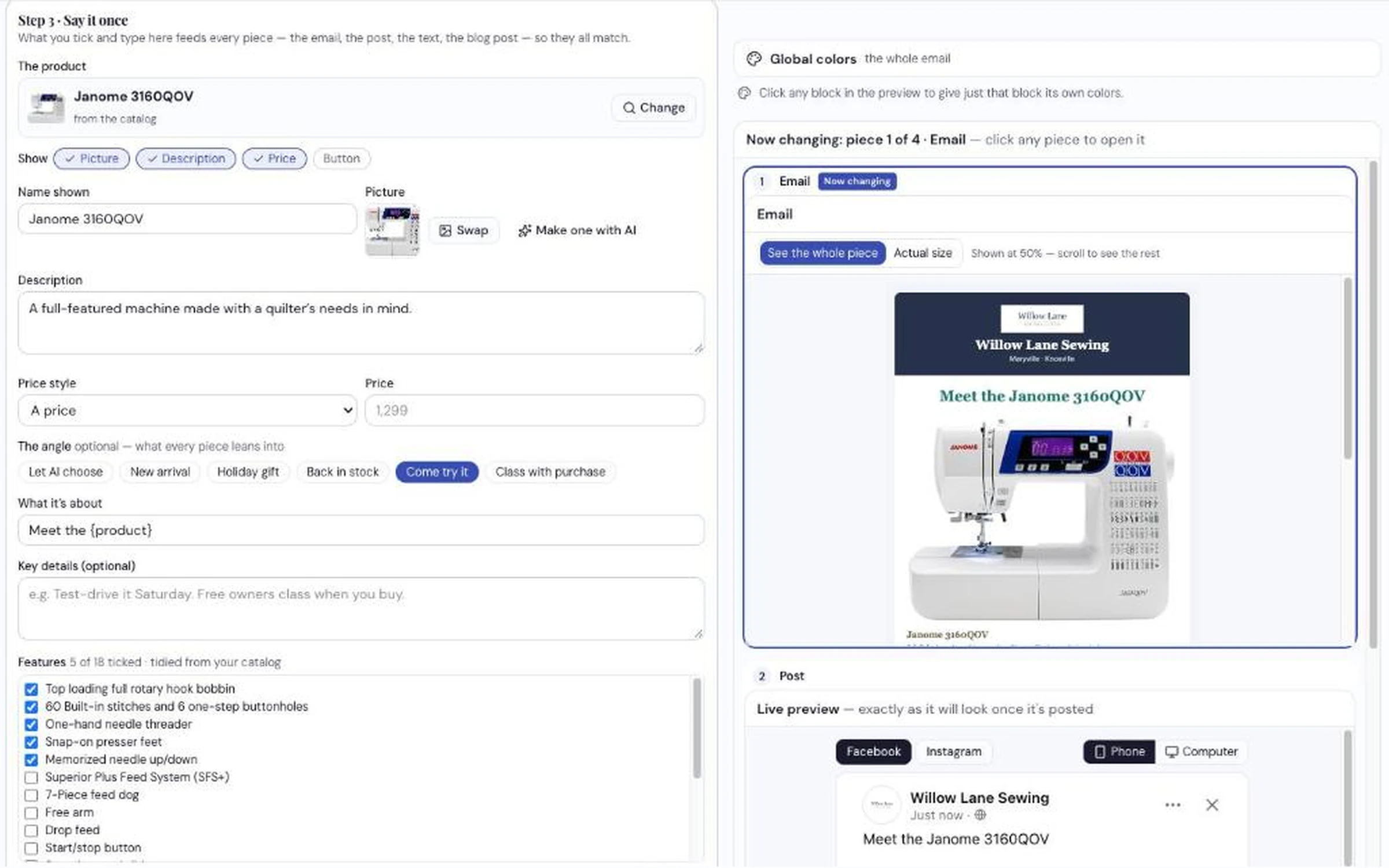
Spotlight one product in every place at once. Pick the angle — new arrival, holiday gift, come try it — and type your own price.
What it does
- Makes emails, newsletters, Facebook and Instagram posts, blog posts and flyers in one place, all built the same way — plus texts you copy into your own texting tool
- Writes several pieces at once from one topic, each one written for its place — longer for an email, short for a text
- Builds promotions and campaigns, each piece on its own day, and puts them on your Calendar
- Spotlights one product everywhere at once — even one that isn't in your catalog yet
- Fills in your real shop: products from your catalog, classes from your calendar, colors and logo from your Brand Kit, your hours and page links
- Starts from Ready to Go pieces Sew Smart makes for shops like yours, with new ones added over time — or from a layout, or a sentence to AI
- Keeps prices yours — you type them; the writing is done without them
Watch a promotion come together for your shop
Your products, your colors, your classes — on the call.
Request a Demo