Tick the brands you carry.
Everything else follows.
This is the quiet one that makes the rest work. Choose your brands and the assistant starts recommending what you actually stock, the content writes about your real products, and Spotlight fills itself in.
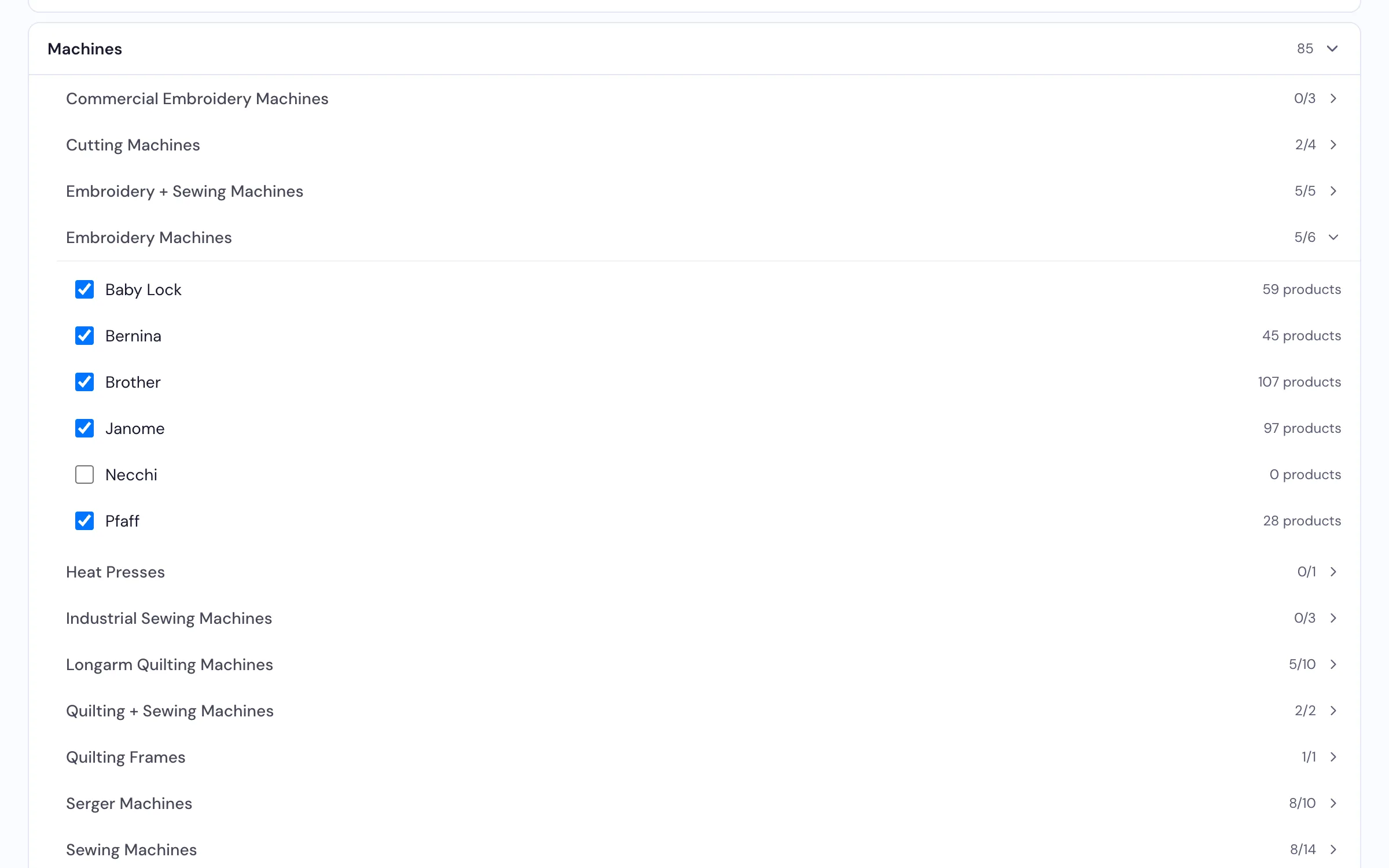
Select a brand and every active product under it comes across at once.
How dealers use it
-
Select your brands, not your products
Tick a brand and everything under it comes across in one go — you're not entering machines one at a time. Then untick the odd product you don't stock. And if we set your shop up from your website, much of this is already done before you log in.
-
Point each product at your own webshop
This is the part worth doing properly. Products we found on your website arrive with their link already attached. Where your site follows a pattern, the link builds itself. For the rest, type one straight onto the product, or do a few hundred at once with a spreadsheet. A running count tells you how many are still missing.
-
Then the rest of the platform gets sharper
Your assistant shows product cards with a View product button that lands on your own page. Content Studio writes about things you sell. Spotlight works from each product's real specs. Kit Builder can fill items in from your catalog. Anything without a link gets an Ask about this button instead of sending someone to a dead page.
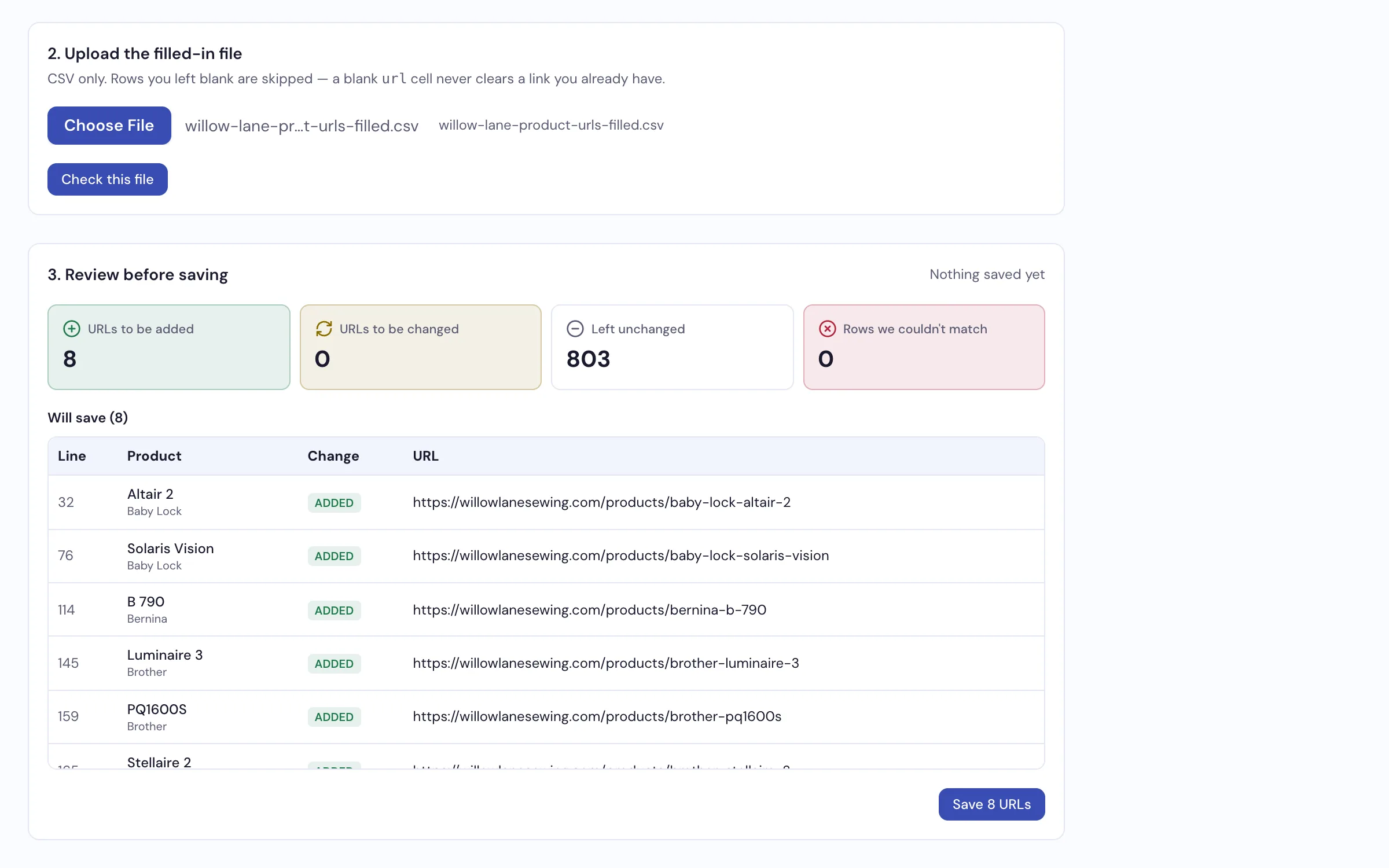
Upload your links as a spreadsheet, see what matched before it's applied, then commit.
What it does
- Select whole brands at once rather than product by product
- Products from your own website brought in when we set you up, links and all
- A link to your own webshop per product — automatic where it can be, typed straight onto the row where it can't
- Bulk import your links from a spreadsheet, with a preview before anything changes
- Coverage at a glance, and a filter for just the ones still missing a link
- Edit your own products — the ones only your shop carries — so the assistant describes them right
- Feeds the assistant, Content Studio, Spotlight and Kit Builder
Ask us what we already have for your brands
Most dealers are surprised how much of their catalog is already in there.
Request a Demo