A customer brings in a scrap.
You find the fabric.
Match from a photo, or start from one of your own bolts. The Fabric Matcher shows the fabric you carry that matches, the fabric that goes with it, and the thread you offer to sew it with — at the counter, or on your website.
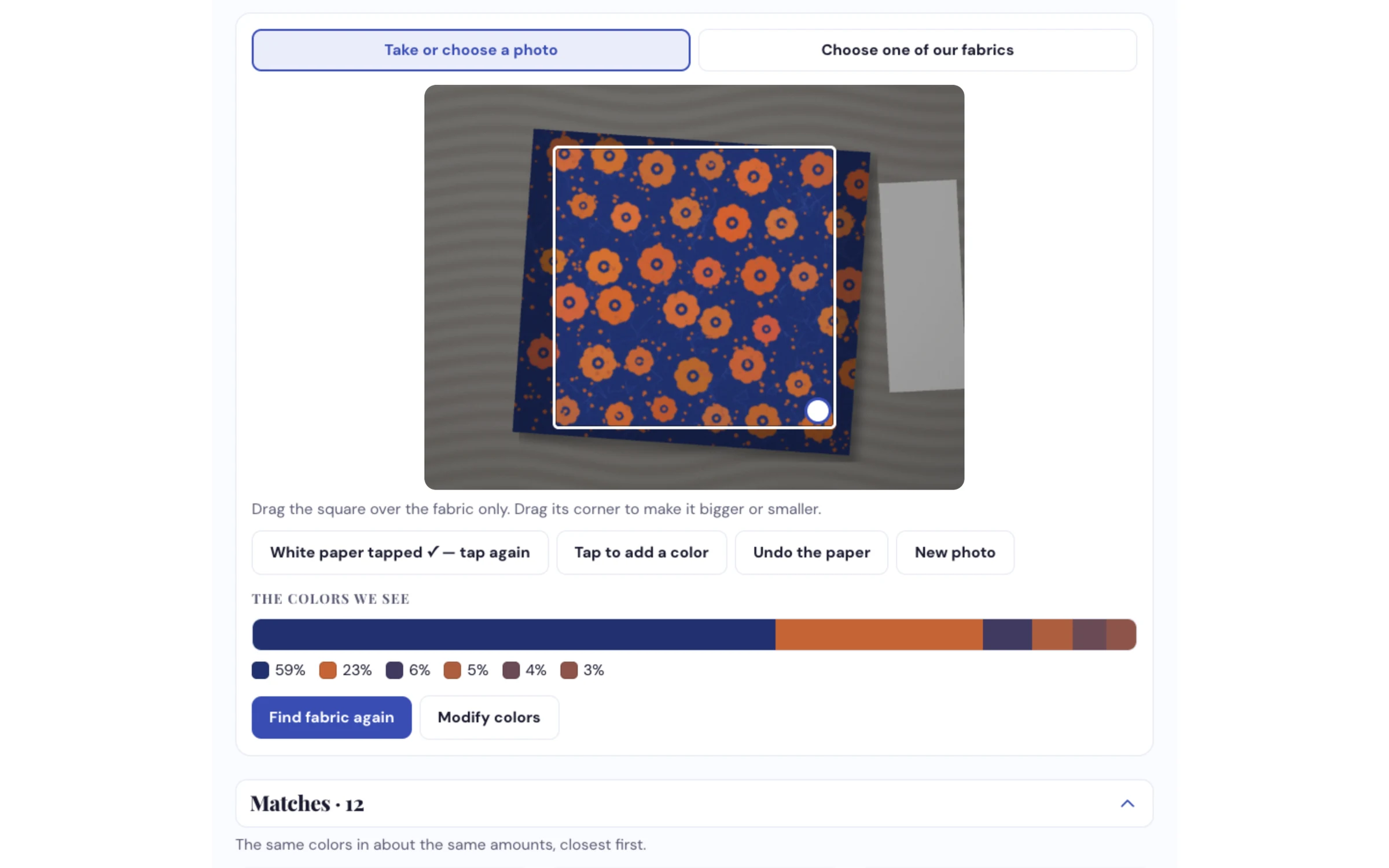
Tap the white paper in the shot and the yellow cast of shop light is corrected before anything is matched.
How dealers use it
-
Your fabric is already on the list
Everything on your product list starts ticked. Untick the brands, collections or bolts you no longer stock, and add a bolt that isn't listed by photographing it on the shelf. Only fabric you carry is ever suggested — on your website or at the counter.
-
Match from a photo, or from one of your fabrics
Take a photo, drag the square over the fabric and tap the white paper beside it. Or skip the photo and choose one of your own fabrics by name, color, brand or collection. It finds the colors and how much of each — say 55% navy, 30% rust, 15% cream.
-
Matches, coordinates and thread
They see your fabric in the same colors, your closest fabric for every color in it, and the thread you offer to go with each one. On your website they can save picks to a Fabric Plan and download it in your colors. At the counter, your team can save it as a project.
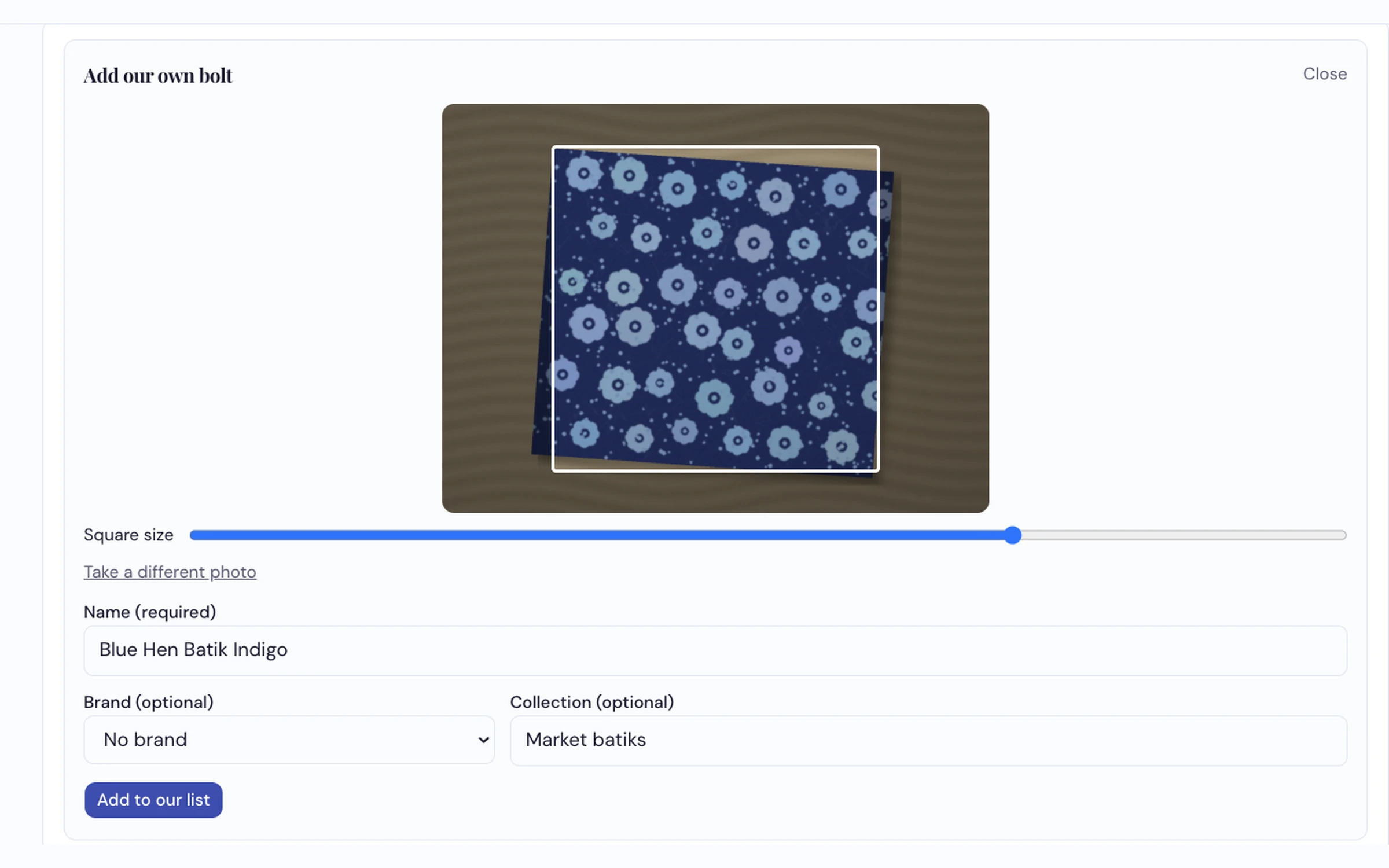
A fabric that isn't on your list? Photograph the bolt and it joins your list — only your shop sees it.
What it does
- Matches by color, from a photo or from one of your own fabrics
- Corrects for shop light with a sheet of white paper in the shot
- Shows matches, fabric for every color, and thread you offer — two suggestions per thread brand for each main color
- Lets you change the colors — remove a shade, find more, or pick your own with an eyedropper
- Add your own bolt by photographing it — only your shop sees it
- Makes a Fabric Plan to download as a PDF or a picture, in your colors with your logo
- Built with the customer's privacy in mind — the matcher works from the colors in their photo rather than keeping their picture
Send us a fabric photo and we'll match it live
Against your own fabric and thread, on the call.
Request a Demo