Write it down once.
It answers all day.
How long a repair takes. What to bring when dropping a machine off. Your class cancellation policy. The handful of facts your staff repeat all day go into your Knowledge Base, and your assistant answers customers from them, in your words, even at ten at night.
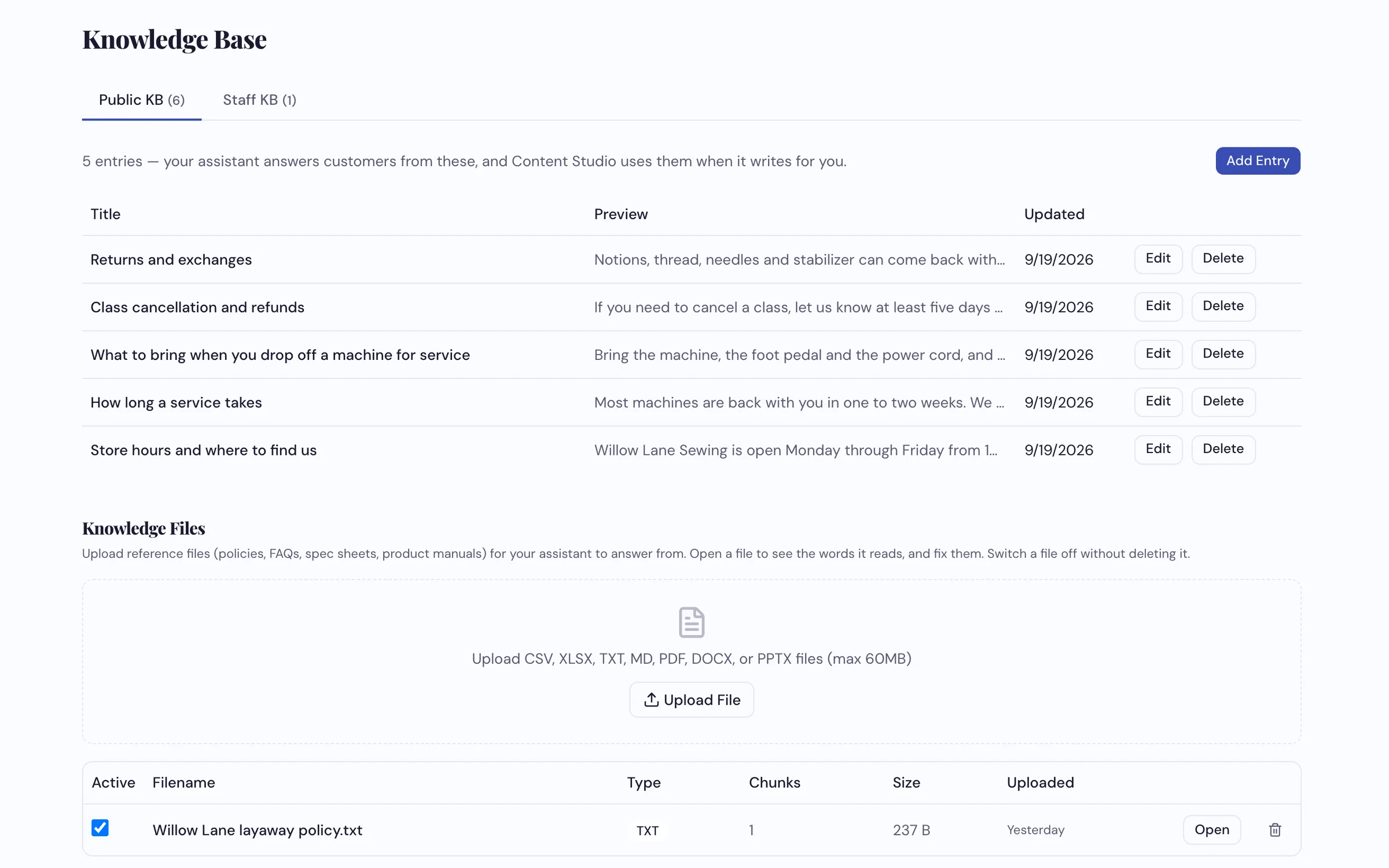
Five short entries and one uploaded file. Public for customers, Staff for your team.
How dealers use it
-
Write the five or six things everyone asks
Click Add Entry, title it the way a customer would ask ("How long a service takes"), and write a few plain sentences. One topic per entry. There's no category to pick; your assistant looks through everything you write for every question.
-
Or upload what you already have
A warranty booklet, a care guide, a layaway policy. PDF, Word, PowerPoint, spreadsheets and text files all work. Open any file to see the exact words your assistant reads from it, and fix anything that's wrong without touching your original.
-
Keep your team's notes on the staff side
Repair notes, vendor contacts and intake reminders go in Staff KB. Your customer assistant doesn't use them. A staff assistant does, so a new employee on their third day can ask it instead of interrupting someone at the cutting table.
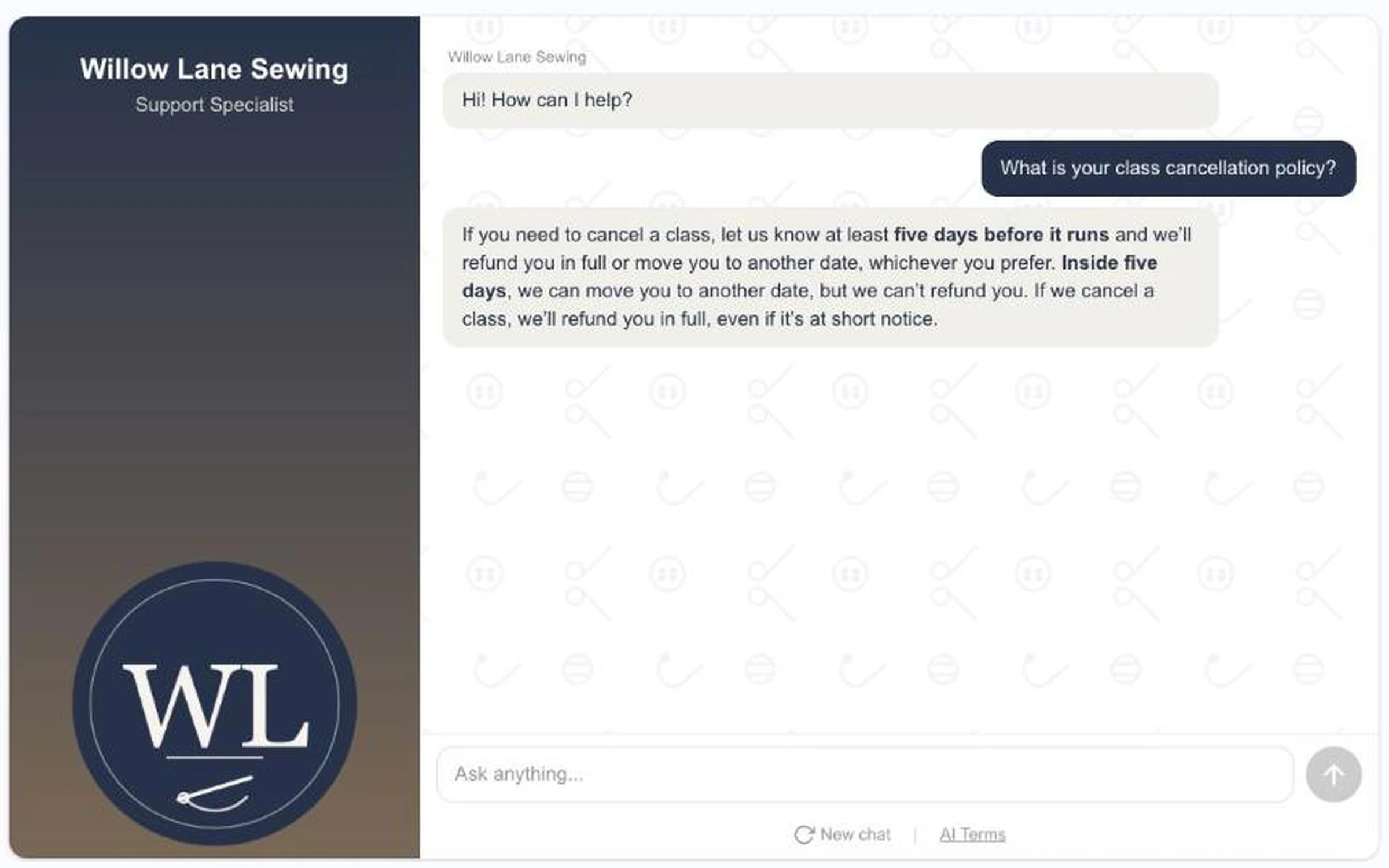
Customers get your shop's answer, not a general one about sewing.
What it does
- Written entries for your policies, turnaround times, hours and how-tos
- File uploads: PDF, DOCX, PPTX, TXT, MD, CSV and XLSX
- Shows you what it read from each file, and lets you fix the wording
- Switch a file off without deleting it
- Public and Staff halves, so team notes stay with your team
- Helps Content Studio too: your public entries help it write for your shop
Bring your policies, and we'll add them on the call
Then ask your assistant and hear your own words come back.
Request a Demo