The machine sitting there
since February.
Pick one product. Get the email, the posts and the blog written around it — using its real specs and features, angled to sell rather than to inform.
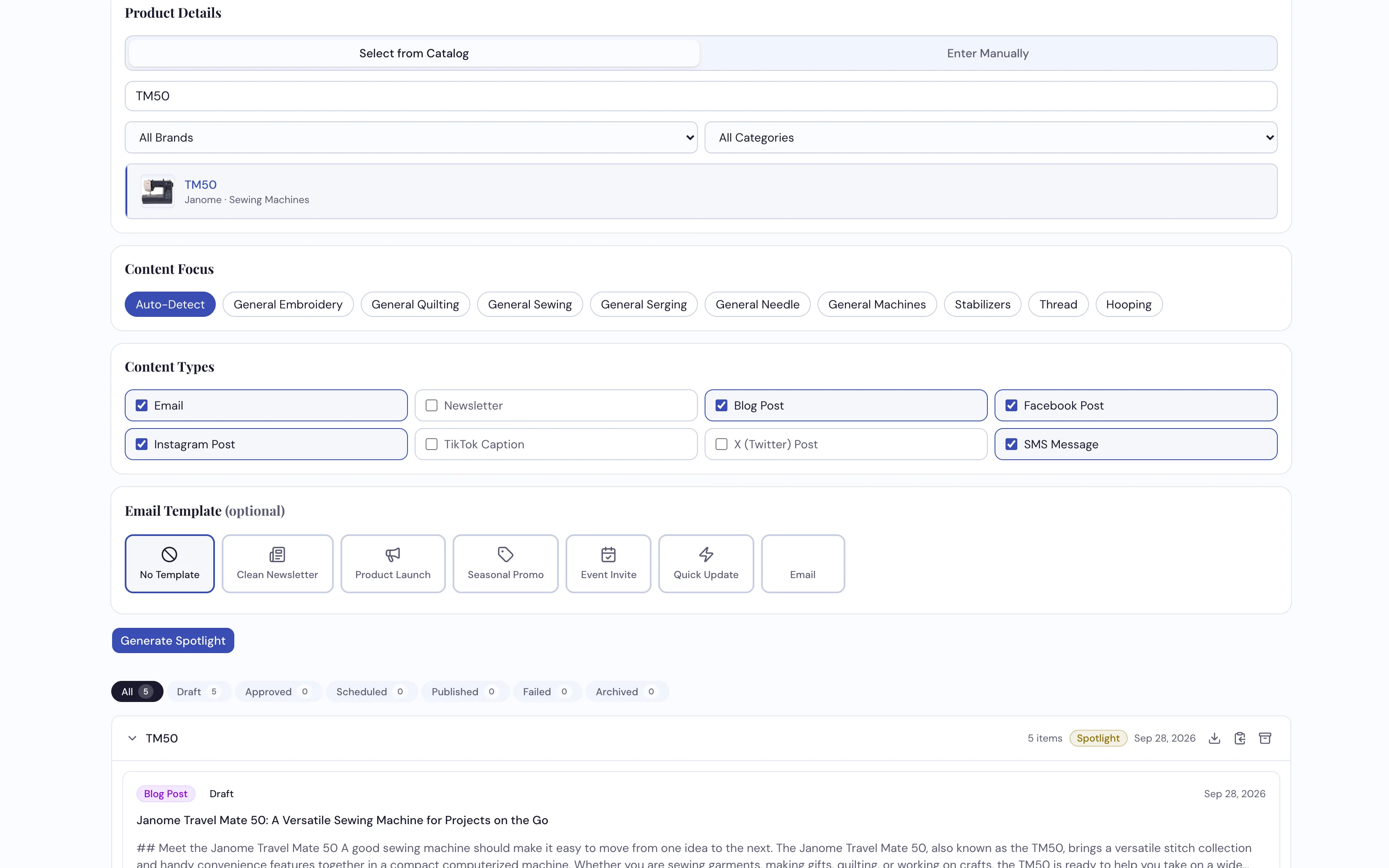
Choose the product, and the specs, features and model details fill themselves in.
How dealers use it
-
Pick the product off your own shelf
Search your catalog — each result shows the product's picture, so you know you've got the right one — and it pulls in the name, brand, model, description, features and specs. Nothing to retype. If it's something you don't carry on the system yet, enter it by hand instead.
-
It writes to sell, not to describe
Same engine as Content Studio, pointed differently. The copy leads on what the thing does for the customer and works the specs in behind that, rather than reciting a spec sheet and hoping.
-
Use it on whatever isn't moving
This is the tool for the demo model, the discontinued line, the accessory nobody knows you stock. Ten minutes on a slow morning turns into a week of posts about the thing you actually need to shift.
What it does
- Fills itself in from your catalog — name, brand, model, description, features and specs
- Writes across the same eight channels as Content Studio
- Copy is angled to sell, not to summarize — and never quotes a price
- Takes an off-catalog product typed in by hand when you need it
- Emails can come out in your branded template, with per-send color overrides
- Its own library of runs, also shown in Content Studio marked Spotlight — approve, then send or schedule, the same way
Name something that isn't selling
We'll spotlight it live and you can see what comes back.
Request a Demo