Every repair on one board.
No more "is it ready yet?" calls.
Check a machine in at the counter, move it along as the work moves, and let customers look up where their repair is on their own. The board always matches your bench.
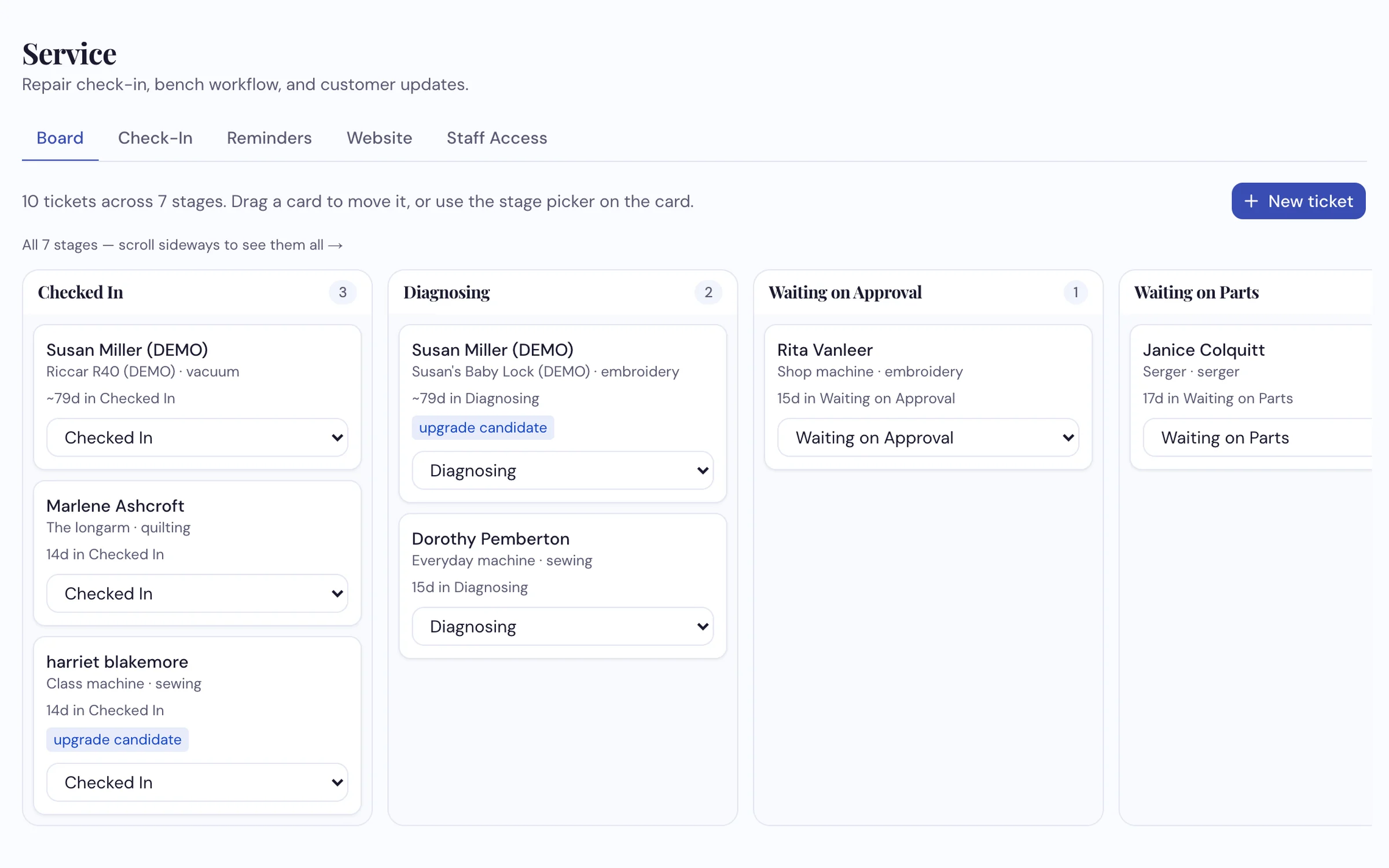
Seven stages, from Checked In to Picked Up. Each card says who, which machine, and how long it's been waiting.
How dealers use it
-
Check the machine in at the counter
Find the customer or add them, pick the machine they've brought before or add it, and write what's wrong in their words: "grinding noise when sewing fast." Note the foot pedal and bobbin case they left with it, add a photo, and flag it if they're a good candidate for an upgrade. You get a ticket number and a receipt for the customer.
-
Move the card as the work moves
Drag it from Diagnosing to Waiting on Parts to In Repair, or use the stage picker on a tablet. Open any card for the whole story: what was said at the counter, photos, the diagnosis, the checklist, internal notes and the machine's past visits. You choose who on your team can move cards.
-
Customers check their own repair
Your status page lets a customer type the email they gave at drop-off, get a one-time code, and see the stage their machine is in. No account, no password, no phone call. When you move the card to Ready for Pickup, the page says so.
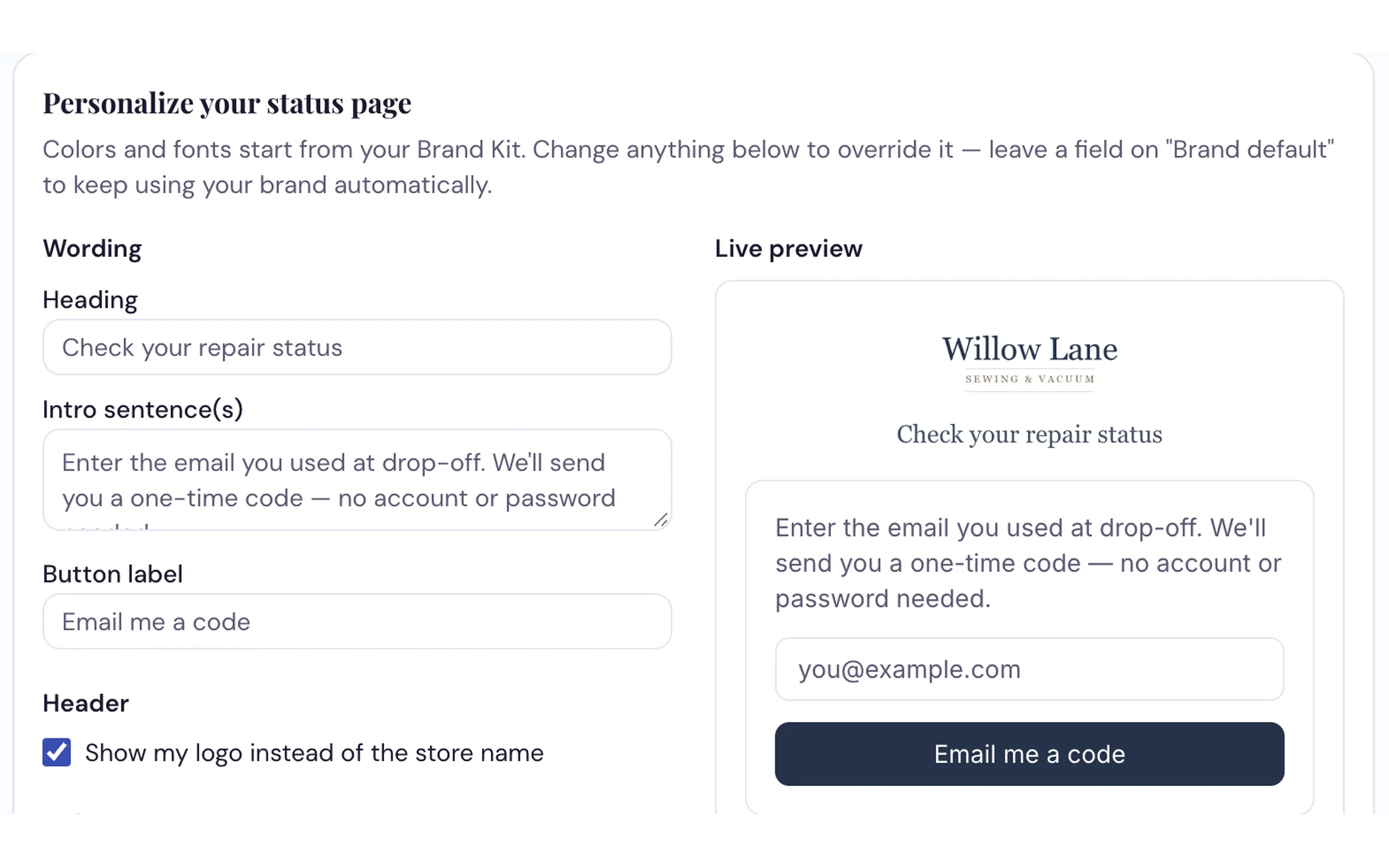
Your wording, your logo, your colors, with a live preview of what the customer sees.
What it does
- One board for every open repair, in seven stages, always all on screen
- Check-in in a few steps, with the customer, the machine, the complaint, what was left with it and photos
- A ticket number and a receipt for the customer at drop-off
- A status page customers check themselves, with a one-time email code and no password
- Reminders for machines due their annual service and customers flagged for an upgrade
- Each machine's history, so you see its past visits the next time it comes in
- Staff permissions, so you decide who can move tickets
Bring a repair and we'll check it in live
From the counter to the customer's status page, on the call.
Request a Demo