Everything you have on,
on one page.
Classes, promotions, posts, emails, campaigns and blog articles — all on the same month, so you can see the empty weeks before they arrive and stop double-booking the busy ones.
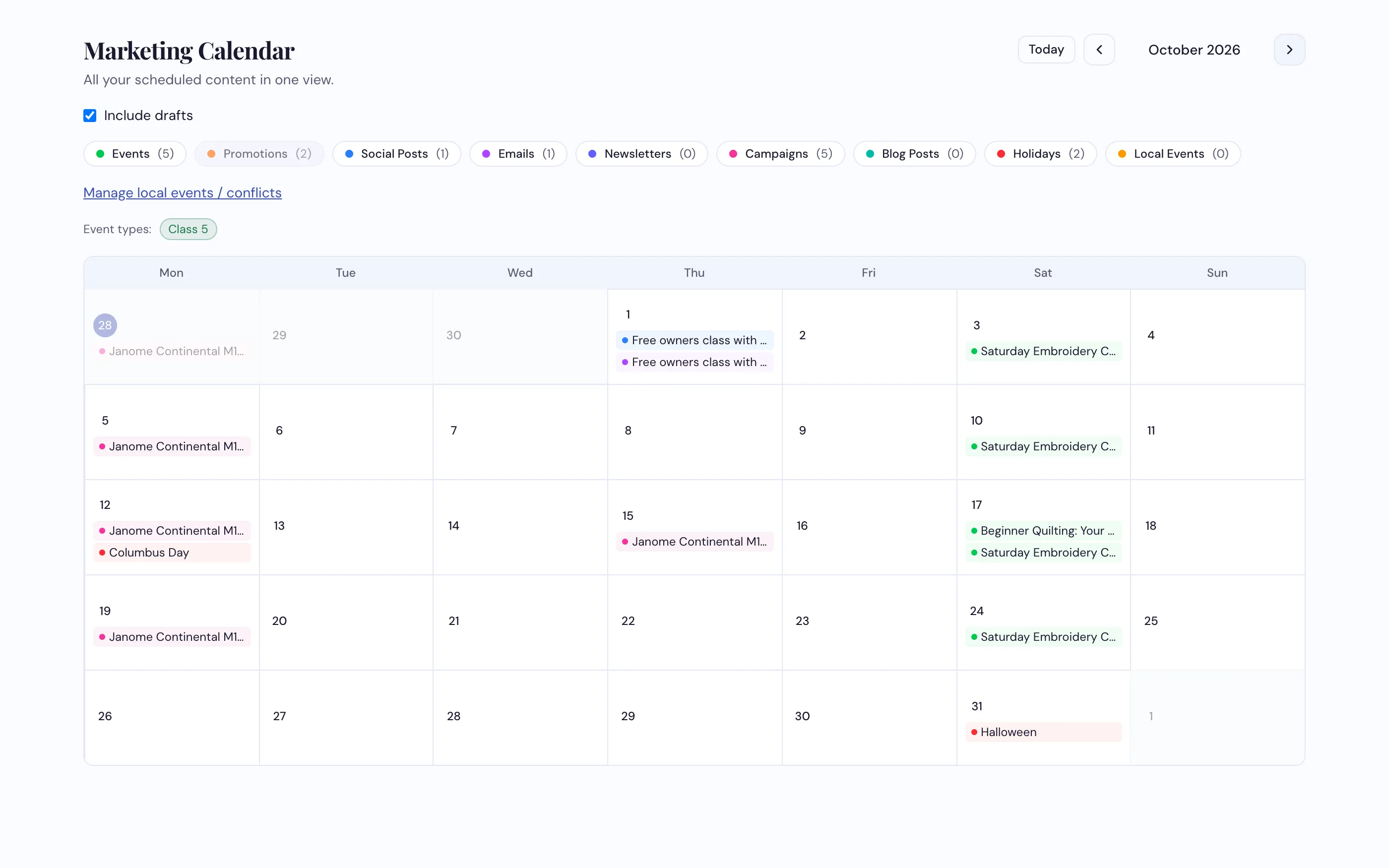
Nine kinds of thing on one grid. Switch any of them off to see just what you're looking for.
How dealers use it
-
See the month the way your customers experience it
Not just classes — the emails going out, the posts, the promotions running, the blog articles. When it's all on one grid the three-week gap in February is obvious, and so is the Saturday you've stacked four things onto.
-
Filter down to what you're actually asking
Turn each type on and off. Filter to one staff member to see their teaching load, or to one kind of event. Tick Include drafts to see what's planned but not committed.
-
Add the local things that empty your shop
A home game, the town parade, the county fair. Add them under Manage local events / conflicts and Event Studio flags any class date that lands on one.
What it does
- Nine types on one grid — events, promotions, social posts, emails, newsletters, campaigns, blog posts, holidays and local events
- Toggle each type on and off, with a count for each
- Filter by staff member or by kind of event
- Holidays already in — the federal ones plus the retail dates that matter, from Valentine's to Small Business Saturday
- Add local events that drive the clash warnings in Event Studio
- Click any day to see what's on it, then jump straight to the record behind each item
- Each campaign piece on its own day, worked out from its timing — and any piece you give a date shows up too
See your next three months on one screen
Most dealers find a gap they didn't know they had.
Request a Demo