Describe the form.
AI builds it.
Say what the form should ask — typing or talking — and it's built in seconds, in your colors, with the brands and machines you carry. The same form works on its own page, inside your chatbot and on your website, and every answer lands where your leads already land.
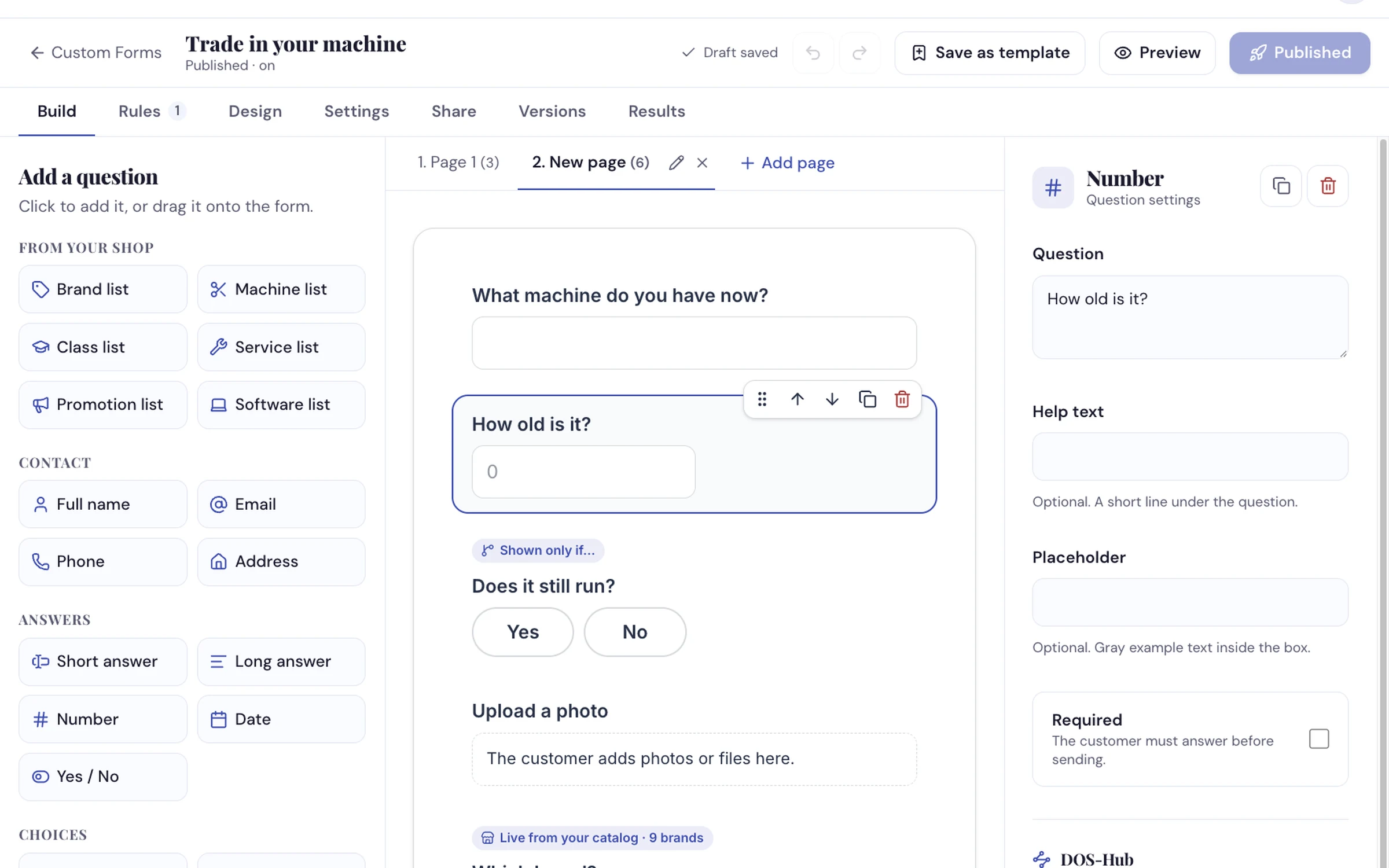
Lists from your own catalog, and rules that show a question only when it matters.
How dealers use it
-
Say what you need
Type or speak one sentence: "A trade-in form. First page their name, email and phone. Then what machine they have, how old it is, a photo, and which new machine they want from what we carry." It's built in a few seconds. Change anything by hand, or just ask — "Make the photo optional."
-
Add rules, your look, and switch it on
Show a question only when an earlier answer calls for it, skip a page, or send certain leads to your service desk as well. Every form starts in your own colors and logo. Nothing goes live until you publish, and a new form stays off until you switch it on.
-
Put it everywhere your customers are
A link, a button, the form right on a page, a pop-up, a slide-in, or a QR code for the counter. Your chatbot can offer it too. Every answer arrives in your inbox, on your Leads page and in your customer records.
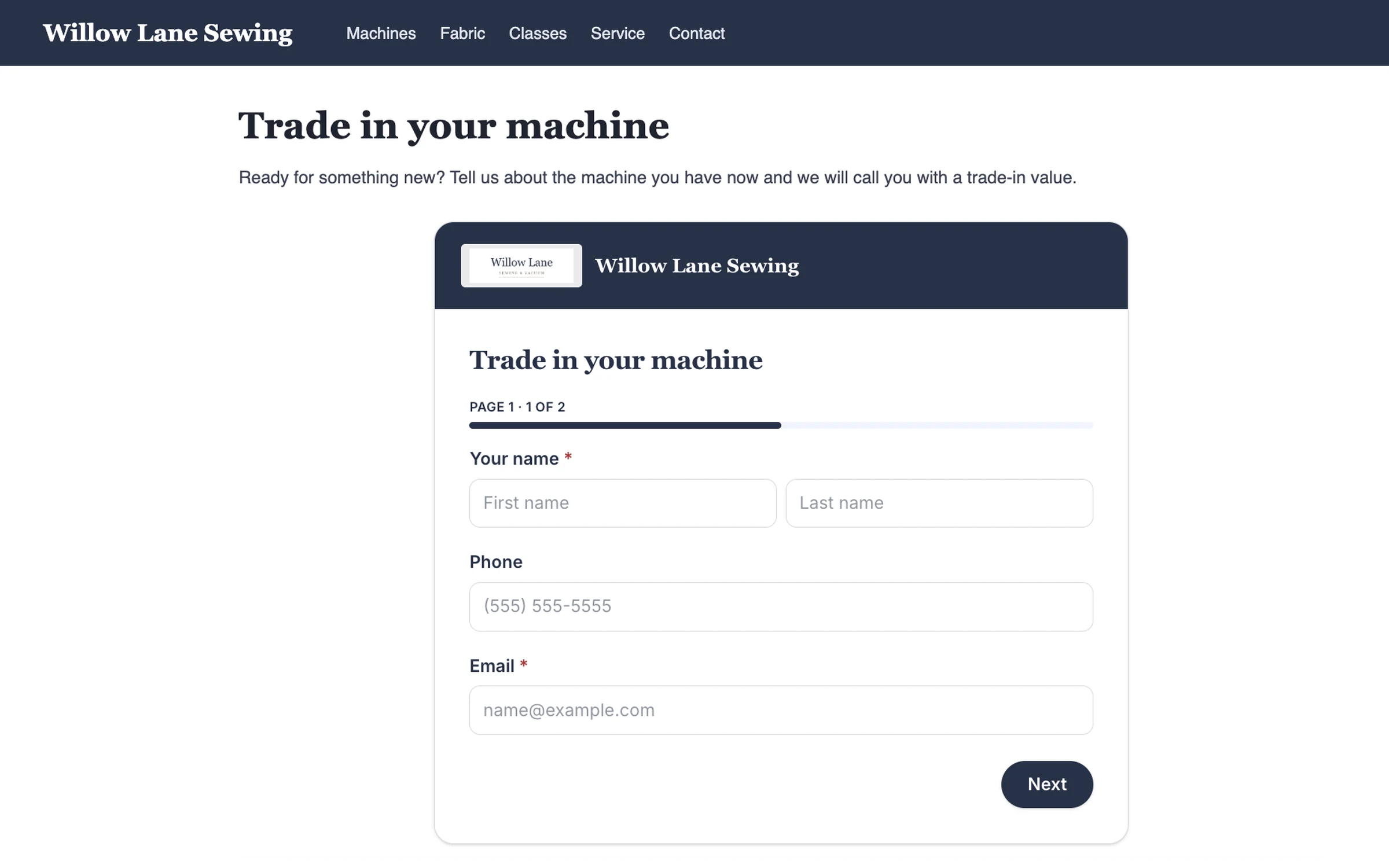
On your own website, in your own colors — pasted in like a video.
What it does
- Builds a form from one sentence, typed or spoken, then changes it when you ask
- Brand and machine lists from what you carry, which keep themselves up to date
- Rules — show or require a question, skip a page, send a lead to another address, or show a different thank-you
- Templates for a sewing shop — trade-ins, service drop-off, test-drives, class wait-lists and more
- Six ways onto your website, plus your chatbot
- Saves answers to your customer records, with tags, and can send the customer a thank-you email
- Spam protection built in — nothing to set
- Results — views, starts, sends, and the question where people stop
Tell us a form you need and we'll build it live
From one sentence, in your colors, on the call.
Request a Demo