Write it, pick who gets it.
Send it from your shop.
Your newsletter is drafted in your shop's voice and branding, you choose who hears about it, and it goes out under your shop's name and address. Quilting news goes to quilters, and nobody else.
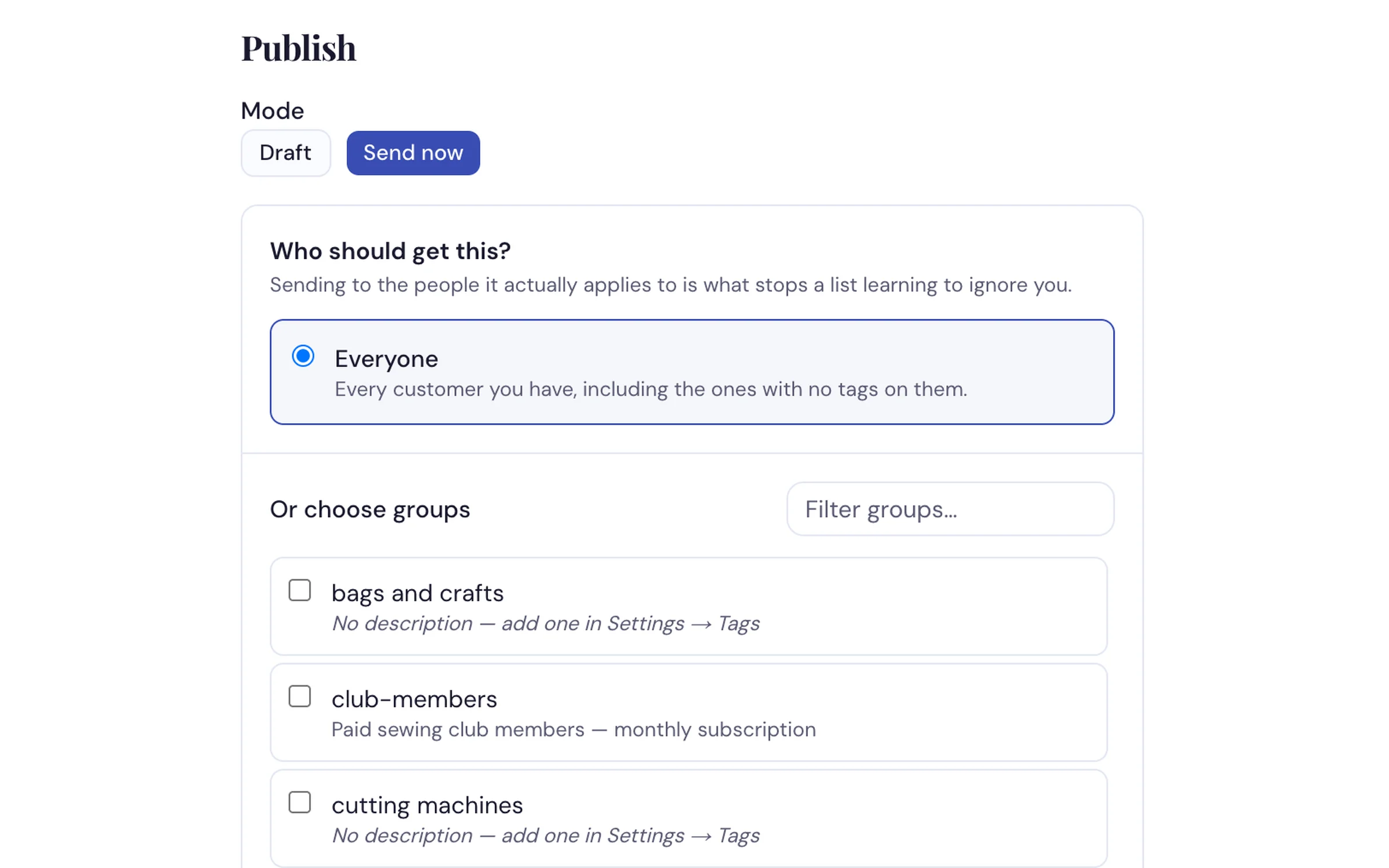
Everyone, or just the groups it's for. The count shows how many people that is before you send.
How dealers use it
-
Set your shop's address, once
Type the address customers should write to, like info@yourshop.com, and your emails carry your shop's name and that address, with replies going there. Ask whoever runs your website to add a few settings to your domain, and your mail comes from exactly info@yourshop.com, with the best chance of reaching the inbox.
-
Write it in a few minutes
Say what it's about, "Fall quilting classes are open," and it's drafted in your shop's voice with your branding. Change anything you like. Nothing sends until you say so.
-
Choose who gets it, and when
Tick quilting and only quilters get it, with a live count of how many people that is. Leave a group out, like everyone who already answered. Send now, or pick a day and time. Afterwards you see who it reached: "Sent to 84 people in quilters." Replies come back to your shop's inbox.
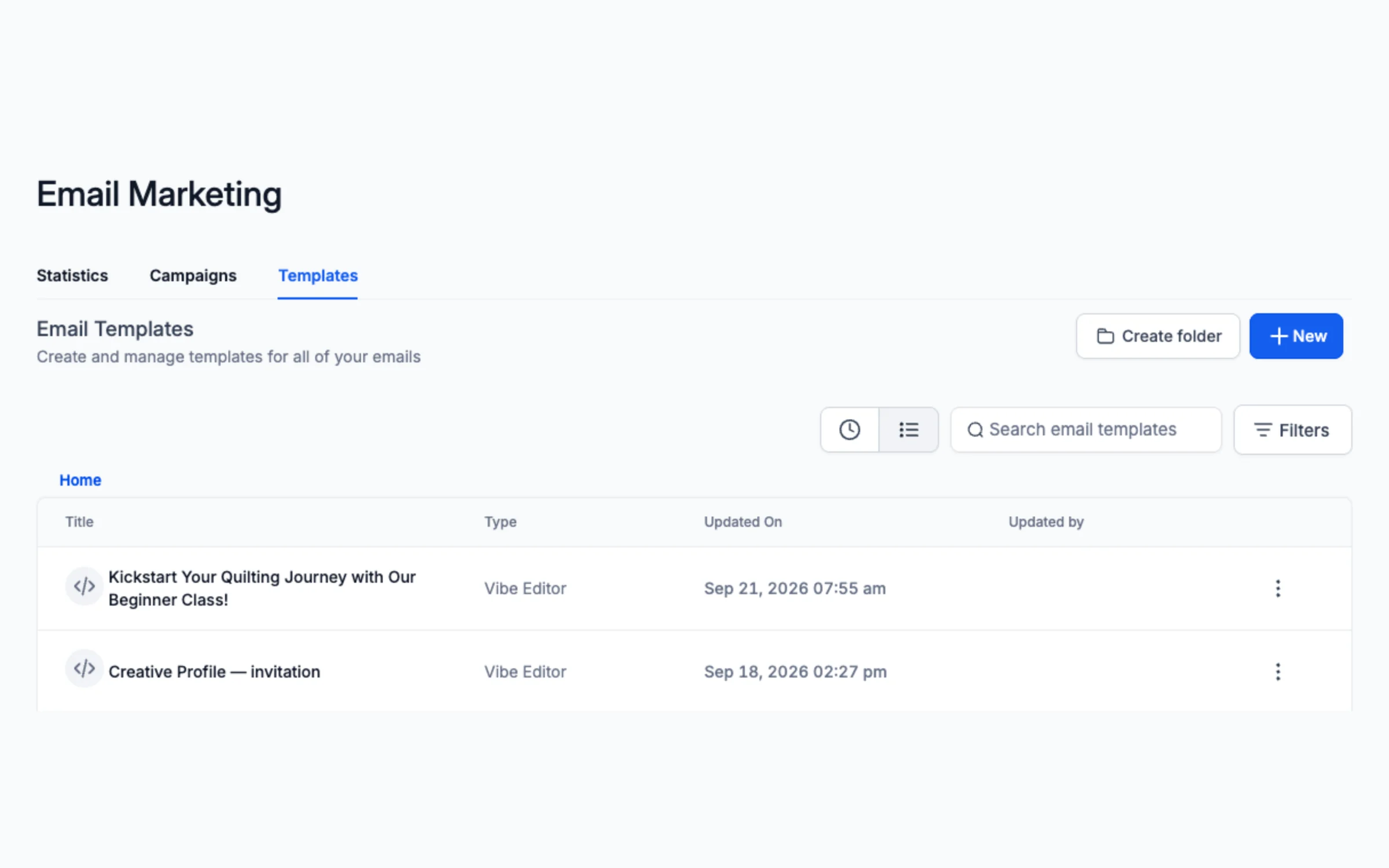
Emails you make arrive here ready to send, next to ready-made ones like the Creative Profile invitation.
What it does
- Drafts newsletters in your shop's voice, with your branding
- Sends under your shop's name, from your own domain once it's connected
- Sends by tag, with a live count, and can leave a group out
- Send now or schedule for a day and time you pick
- A ready-made Creative Profile survey that asks customers what they love making, tags them with the answers and thanks them with your offer
- Warm-up batches for a new list, so your first emails land in inboxes
- Replies come back to one inbox for your shop
- Tells you why if it can't send yet, right beside the button, and what to fix
Tell us your next sale and we'll write the email live
In your shop's voice, to the right customers, on the call.
Request a Demo